Wireless Earbuds Keep Disconnecting? 5 Real Fixes (2026)
TL;DR. Random earbud disconnects are almost never a broken pair — they’re usually 2.4GHz Wi-Fi interference, a stale multi-device pairing list, your own body blocking the signal, or a firmware bug. Re-pairing from scratch fixes a surprisingly large share of cases on its own. If only one earbud drops repeatedly while the other stays solid, that’s the one pattern that actually points to hardware wear rather than a software fix.
A note on links and methodology
As an Amazon Associate, Arekore earns from qualifying purchases. The Amazon product links in this article include our affiliate tracking ID and may earn us a commission if you buy through them, at no additional cost to you. See our Links Policy for details on how we select products and how commissions do not influence our recommendations.
We also did not personally test the specific earbuds named below. Every diagnostic step and product claim in this article is an editorial synthesis of public data, cited inline.
Methodology
This is an editorial analysis based on publicly available data collected in July 2026. We did not run controlled interference tests ourselves; instead we synthesized:
- Independent connectivity testing — RTINGS’ Bluetooth Connection test methodology for headphones, which measures real-world range and stability rather than advertised specs, and SoundGuys’ reporting on why true wireless connections are harder to keep stable than wired ones.
- Manufacturer support documentation — Apple’s AirPods troubleshooting guidance, Samsung’s official Galaxy Buds connection-issue support page, and Soundcore’s own published breakdown of common Bluetooth cutout causes.
- User-reported patterns from manufacturer and community forums — Apple Support Community threads on AirPods Pro disconnecting, and firmware-update reporting from outlets that track Samsung Galaxy Buds software releases.
- Aggregated Amazon customer review sentiment on amazon.com for the specific earbuds referenced below, read via each product’s “Top reviews” and “Customers say” panels in July 2026. We do not report a precise review-count N because Amazon’s review panels do not expose a stable, verifiable count; a fabricated number would be misleading.
- Bluetooth protocol documentation, since the 2.4GHz ISM band that Bluetooth shares with Wi-Fi and household electronics is the technical root of most interference-related dropouts.
We deliberately do not simulate a specific personal troubleshooting story or invent a fake reviewer persona. The advice below is a synthesis of manufacturer documentation, independent testing, and aggregated review patterns — treat it as a starting framework, not a substitute for a manufacturer’s own diagnostic tool.
1. Six things that cause “random” disconnects
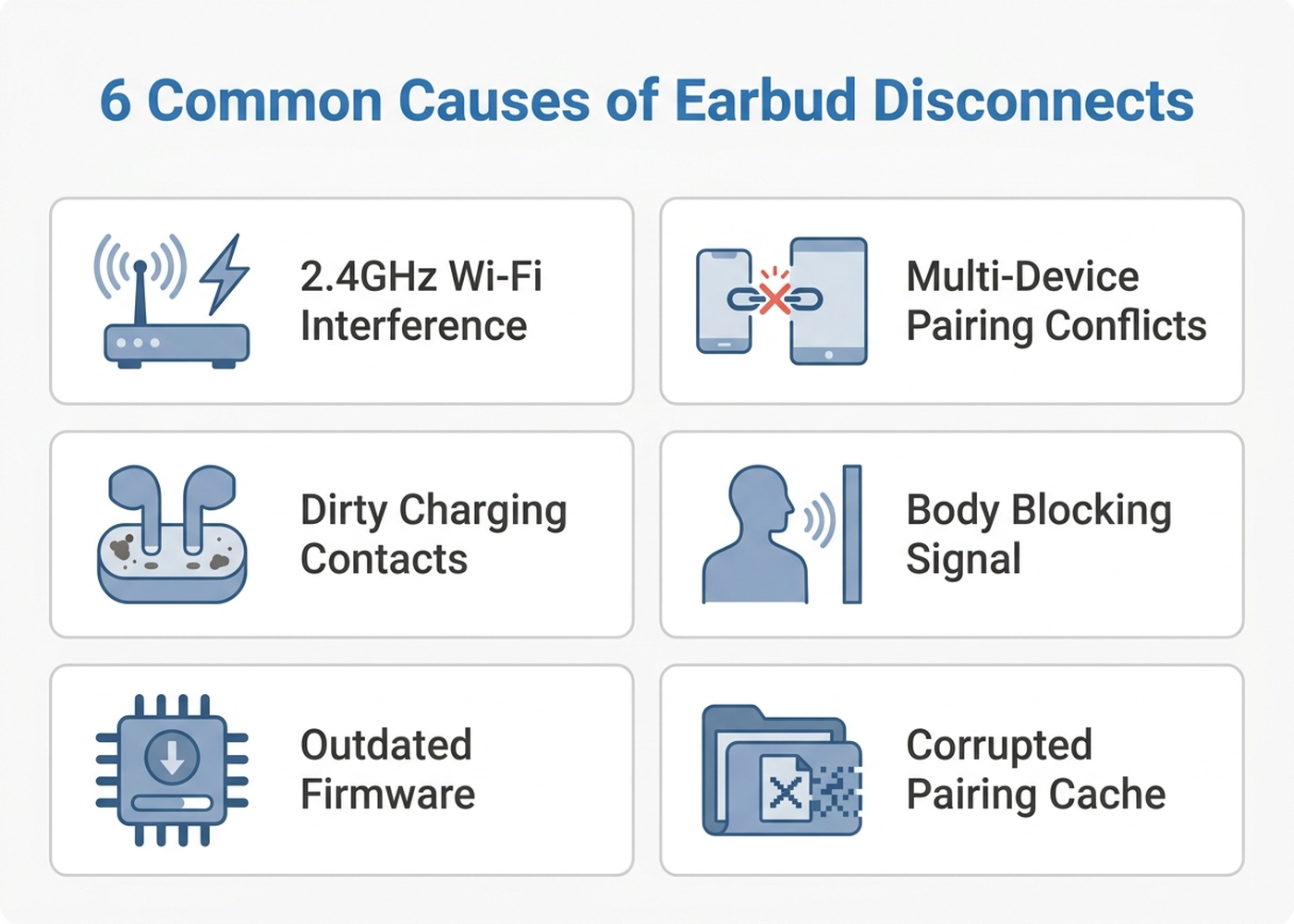
“Random” disconnects usually aren’t random at all — they map to one of a handful of well-documented causes:
| Cause | What it looks like | Fixable at home? |
|---|---|---|
| 2.4GHz interference | Drops near a Wi-Fi router, microwave, or in crowded public spaces | Yes — usually |
| Multi-device pairing conflicts | Earbuds jump between a phone, laptop, and tablet, or another nearby device keeps trying to grab the connection | Yes |
| Body blocking the signal | Worse when the phone is in the pocket opposite the primary earbud | Yes |
| Dirty charging contacts | Case shows a charge but the earbuds behave erratically after leaving it | Yes |
| Outdated firmware | Intermittent drops that a manufacturer update changelog explicitly lists as fixed | Yes |
| Corrupted pairing cache | Persists across multiple environments, doesn’t correlate with location | Yes, via full re-pair |
Bluetooth and Wi-Fi both operate in the same crowded 2.4GHz spectrum alongside microwaves and other short-range wireless devices, which is the underlying reason interference is the single most commonly cited cause across manufacturer support pages and independent troubleshooting guides. A related but less obvious factor: the human body itself absorbs 2.4GHz signals, so a phone in the pocket opposite your primary earbud can measurably weaken the link compared to keeping the phone on the same side as the connected earbud.
Manufacturers do meaningfully fix this in software. Anker’s Soundcore brand, for example, published multiple 2026 firmware updates for its Liberty earbud line specifically targeting connection stability in crowded RF environments — a reminder that “check for a firmware update” is not boilerplate advice but often the actual fix.
Worth noting: the pattern that does not belong on this list is a single earbud dropping out while its twin stays perfectly connected, especially if it happens consistently regardless of location or paired device. That’s the one symptom independent reviewers and forum patterns associate more with battery or antenna wear than with a software-fixable cause — see the warranty section below.
2. Why Bluetooth version actually matters here
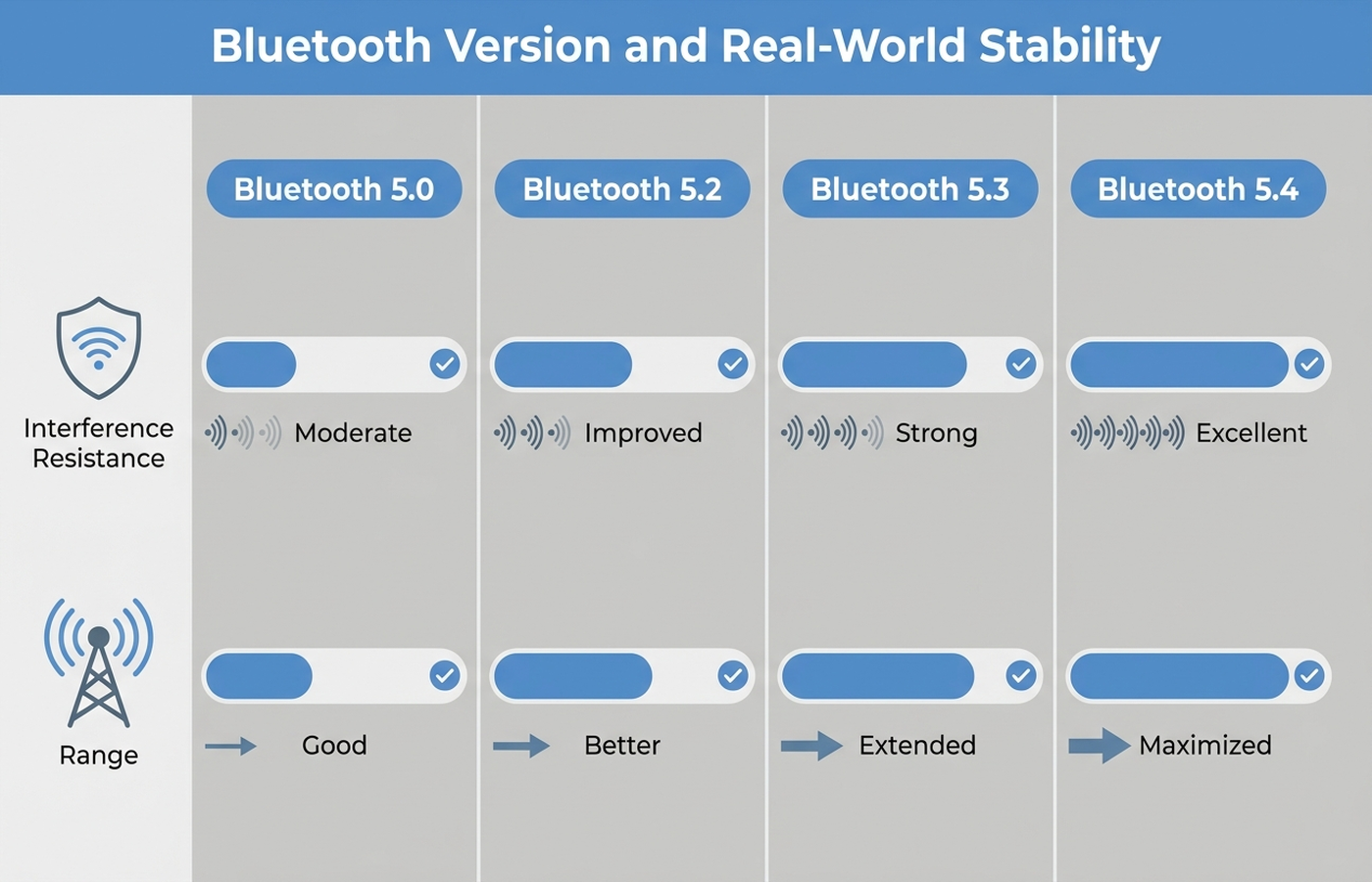
Not all “Bluetooth 5” earbuds handle interference equally. Each point release has specifically targeted the crowded-environment problem:
- Bluetooth 5.2 introduced LE Audio groundwork and better connection management versus 5.0.
- Bluetooth 5.3 added enhanced channel classification, which independent technical writeups describe as helping devices maintain stable connections amid RF interference from motors, other wireless systems, and crowded spectrum conditions.
- Bluetooth 5.4 further improves anti-interference handling and adds Advertising Coding Selection, which lets devices choose a stronger error-correction level — in practical terms, better range and fewer drops in noisy environments like a train platform or open-plan office, per multiple independent technical comparisons.
The takeaway for buyers: if a pair of earbuds more than 2-3 years old keeps dropping in places a newer pair handles fine, the Bluetooth chipset generation itself may be a real, non-user-fixable ceiling — not just a settings problem.
3. Brand-specific patterns worth knowing
Because how a company handles connection management differs by brand, what’s “normal” to check varies across the earbuds people actually own.
Apple AirPods Pro. Apple Support Community threads describe a recurring pattern: AirPods Pro randomly disconnecting or reconnecting during calls, music, or video, sometimes showing as “connected” with no audio actually playing. The most frequently reported user-level fix across these threads is disabling Automatic Ear Detection in Bluetooth settings, which several users report solved the issue outright. Other contributing factors user reports point to: nearby devices (smart TVs, other Apple hardware) grabbing the connection, and VPN software altering how the phone routes Bluetooth-adjacent traffic. Apple’s own recommended sequence is forgetting the device in Bluetooth settings, then re-pairing via a factory reset (hold the button on the case until the light flashes amber, then white).
Samsung Galaxy Buds3 Pro. Samsung has a track record of shipping firmware specifically to fix Bluetooth connection problems on its earbud line — for example, an update for the earlier Galaxy Buds2 Pro that explicitly listed Bluetooth connection fixes in its release notes, the same pattern Samsung has continued on newer models. One detail matters for anyone trying to update any Galaxy Buds model: firmware is delivered over Bluetooth from the paired phone, not directly over Wi-Fi to the earbuds, so the update itself depends on a stable Bluetooth link the whole way through. Samsung’s official guidance is to seat both earbuds fully in the case with the lid open and keep the paired phone nearby during the update — skipping this step is a documented cause of failed updates that then produces exactly the disconnection symptoms being fixed.
Anker Soundcore. Soundcore publishes its own troubleshooting content acknowledging that Bluetooth headphones cutting out has multiple common causes, and the brand has a track record of shipping firmware specifically for connection stability in crowded environments. Aggregated Amazon review sentiment on Soundcore’s Liberty line lists occasional post-update connection drops as a recurring low-star theme — meaning firmware updates fix some issues while occasionally introducing new ones, which is a reason to check a product’s recent review trend before assuming an update is risk-free.
4. What to actually do, in order
- Move your phone to the same side as your primary earbud, or at minimum out of the opposite pocket. Body-blocking is a real, well-documented effect on 2.4GHz signal strength.
- Forget the earbuds on any device you’re not actively using them with. Multi-device pairing conflicts are one of the most consistently cited causes across manufacturer and independent troubleshooting guides — a phone, laptop, and tablet all holding a stale pairing record can cause the handshake to fail intermittently.
- Fully re-pair from scratch. Forget the device in Bluetooth settings, reset the earbuds via their case (Apple: hold the case button until amber then white; most Android earbuds: hold the button inside the open case for several seconds), then pair as new. Re-pairing resolves a disproportionately large share of reported disconnection issues on its own.
- Check for a firmware update before assuming a hardware fault. Both Samsung and Anker have shipped updates that explicitly target connection stability — this is not generic advice, it is a documented fix path for specific models.
- Clean the charging contacts on both the earbuds and the case, and confirm the case shows both earbuds fully seated and charging. A poor charge can leave an earbud in a partial-power state that behaves erratically when removed.
- If your Wi-Fi router supports it, move it to the 5GHz band, or move your earbuds’ typical use location away from the router and microwave. This removes the single most commonly cited interference source.
- If it’s consistently one earbud, and steps 1-6 don’t fix it, treat it as a hardware signal rather than a software one — see the warranty section below.
5. When it’s not a settings problem
If disconnects are isolated to a single earbud, persist across every paired device and every location, and survive a full factory re-pair and the latest firmware, the pattern most consistent with independent reporting is battery or antenna degradation rather than a fixable software issue. This is most common past the 18-24 month mark, when earbud batteries — which are small, sealed, and not user-replaceable — have gone through enough charge cycles to affect performance.
At that point, the practical options are a warranty claim (if still covered) or replacement:
| Brand | Typical warranty | Where to check |
|---|---|---|
| Apple (AirPods Pro) | 1 year limited warranty | Apple Support |
| Samsung (Galaxy Buds) | 1 year limited warranty (US) | Samsung Members app or Samsung support |
| Anker (Soundcore) | 18-month limited warranty (typical; confirm per product) | Anker/Soundcore support |
| JLab | 2-year warranty (advertised on many models) | JLab support |
6. If you’re replacing them: current options with strong connection track records
Editorial recommendation, not personal testing. If a persistent single-earbud dropout means it’s time to replace rather than repair, current-generation Bluetooth chipsets (5.3/5.4) and multipoint support reduce several of the causes above by design.
- Apple AirPods Pro 2 (USB-C) — H2 chip, automatic device switching within the Apple ecosystem; disable Automatic Ear Detection immediately if disconnects recur, per the pattern documented above.
- Samsung Galaxy Buds3 Pro — Bluetooth 5.4, Samsung’s most current connection stack; keep firmware current using the seated-in-case update procedure described above.
- Anker Soundcore Liberty 4 NC — Bluetooth 5.3, multipoint, and a brand with a documented pattern of shipping connection-stability firmware.
- JLab JBuds ANC 3 — budget-tier option with multipoint and Google Fast Pair, reviewed favorably for stability at its price by independent outlets.
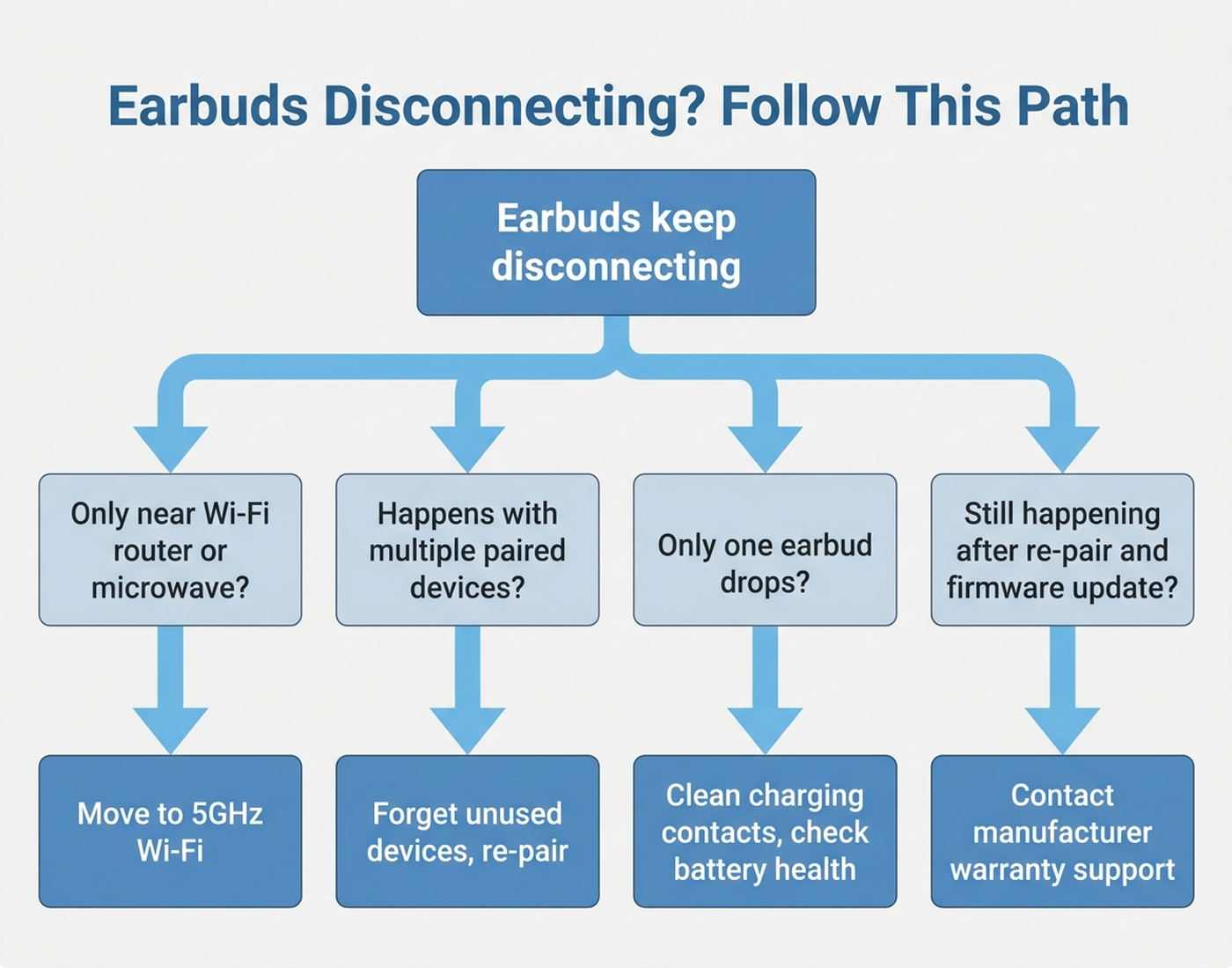
7. The decision flowchart
8. The bottom line
Most earbud disconnects trace back to interference, stale pairing data, or outdated firmware — all fixable without spending anything. Re-pair from scratch first; it resolves more cases than any other single step. If the problem is isolated to one earbud and survives every fix above, that’s the one pattern worth treating as a hardware issue rather than a settings problem.
Limitations of this analysis
To be explicit about what this article does not establish:
- We did not personally reproduce these disconnection issues on the specific units named here. The causes and fixes described are drawn from manufacturer support documentation, independent testing methodology, and aggregated forum/review patterns, not from a controlled test we ran ourselves.
- Firmware release notes and forum-reported fixes describe specific models at a point in time. A fix that resolved an issue on one firmware version may not apply to a newer or older version of the same product.
- “Body blocking the signal” and “2.4GHz interference” are well-documented physical effects, but their actual impact varies by environment, phone model, and earbud antenna design — we did not measure signal strength ourselves.
- Warranty terms cited are general manufacturer policies at time of writing and can vary by purchase channel (official store vs. third-party reseller) and region; confirm on the manufacturer’s site before relying on them.
- Amazon review sentiment was read from each ASIN’s public review panels in July 2026 and reflects aggregated impressions, not a scientific sample.