Second Monitor 2026: 3 Setups Where You Don't Need One
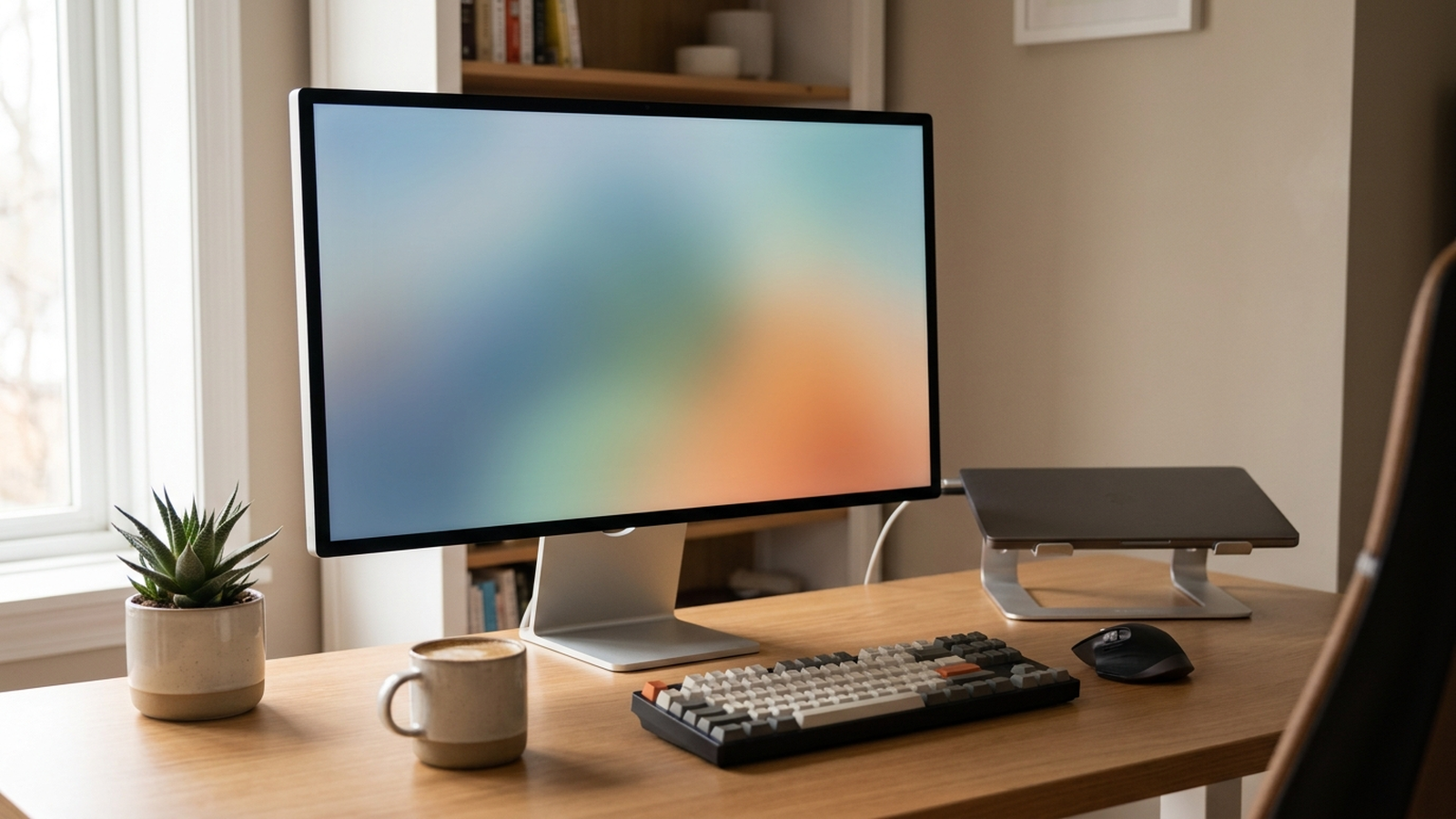
Search “home office setup” and the internet answers with dual monitors — nearly every remote-work buying guide, desk-tour video, and productivity blog treats a second screen as close to mandatory. The data behind those claims is real: multiple studies do link extra screen space to faster task completion. But a closer read of the same research shows the gains track pixel real estate and correct alignment, not the number of physical monitors on the desk — and for several common home-office setups, adding a second screen is the more expensive, more cluttered way to get there.
This is not an argument that dual monitors are bad. It is an argument that the fit depends on how often you actually work from that desk, how much desk space you have, and what kind of work you do — and the research on all three is more specific than “buy a second screen.”
This article is provided by Arekore, an AI shopping assistant. Paste a product URL and our AI checks review authenticity, digs into low-star feedback, and compares prices in about five minutes.
TL;DR / Quick Verdict
- The productivity gains widely cited for dual monitors are real but often mislabeled. Industry-tracked estimates put dual-screen productivity gains at roughly 9%–50% depending on task type, with the largest gains for reference-heavy work like spreadsheets and side-by-side documents.
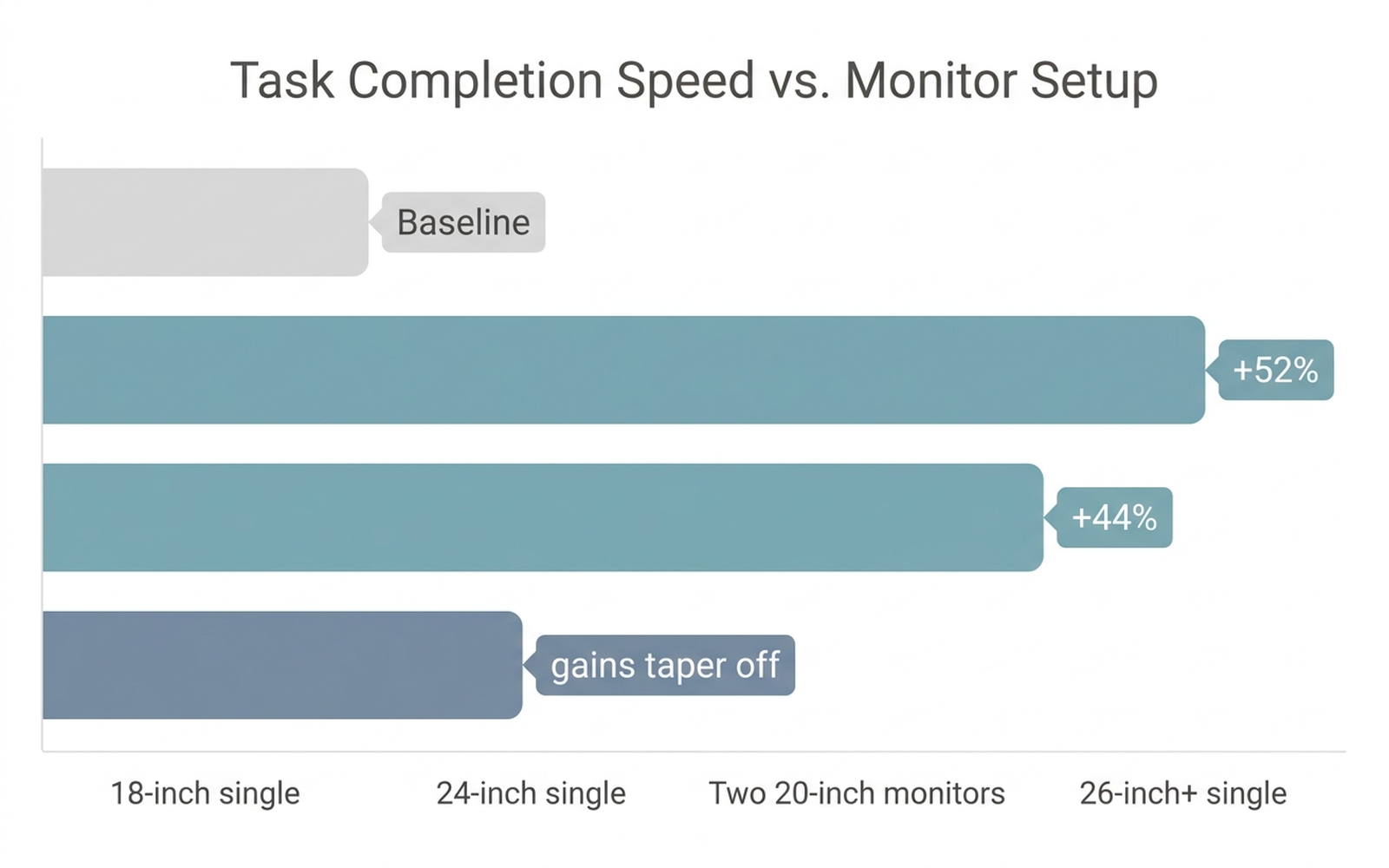
- A foundational University of Utah/NEC study found the gains come from screen size, not screen count. Workers on a single 24-inch widescreen completed tasks 52% faster than on an 18-inch monitor — comparable to the 44% gain measured for two 20-inch monitors — and productivity tailed off again past roughly 24–26 inches regardless of setup.
- Misaligned second screens are a documented ergonomic cost. A peer-reviewed narrative review of multi-monitor workstation ergonomics found positioning, not screen count, is the dominant factor in neck and shoulder strain; a second monitor added without matching eye-level height and distance is more likely to create problems than solve them.
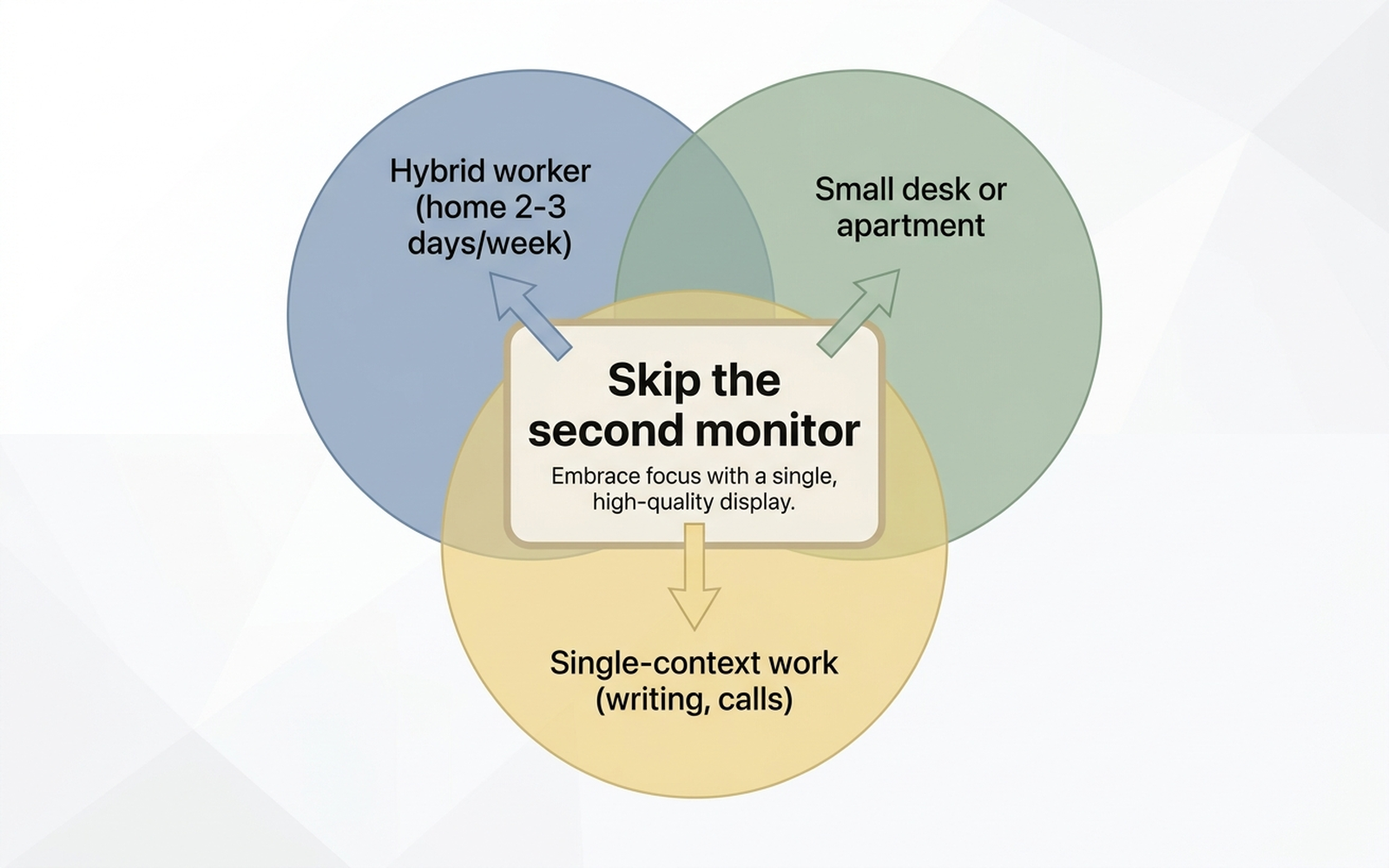
- Three setups where the data favors skipping the second screen: hybrid workers who are only at their home desk a few days a week, small desks or apartments where a second monitor forces poor alignment, and roles doing mostly linear, single-context work (writing, video calls, single-window coding) rather than side-by-side reference tasks.
How We Reached These Conclusions (Methodology)
This is an editorial analysis, not a hands-on test. We did not personally test the monitors, stands, or arms covered here. This guide synthesizes: (a) the widely cited University of Utah/NEC multi-monitor productivity study comparing task completion times across 18-inch, 24-inch, and dual-monitor configurations; (b) a peer-reviewed narrative review of multi-monitor workstation ergonomics published via ScienceDirect; (c) Tom’s Guide’s first-person editorial testing of single-ultrawide versus dual-monitor setups; (d) 2026 US labor-market data on hybrid and remote work adoption; (e) industry-tracked productivity estimates for dual-monitor setups; and (f) aggregated amazon.com customer-review sentiment on best-selling portable monitors, monitor arms, and laptop stands, sampled in August 2026. Figures are attributed to their source; where a number is a vendor or industry estimate rather than a peer-reviewed measurement, it is labeled as such. Review-sentiment descriptions (for example, “aggregated sentiment favors X”) reflect a qualitative read of recurring themes in amazon.com customer reviews, not a precise percentage or tallied sample size. Prices are amazon.com figures at the time of writing and fluctuate.
Why the “Just Add a Second Monitor” Advice Oversimplifies
The dual-monitor productivity claim is not wrong so much as incomplete. Industry-tracked research on multi-screen setups reports productivity gains as high as 42% on average, with a range of roughly 9%–50% depending on the task — biggest for spreadsheet work, code-plus-documentation, and comparing documents side by side. That is a genuine effect. The gap is in what causes it.
The most-cited controlled study on this question, run at the University of Utah in partnership with NEC, tested how quickly people completed document-editing and spreadsheet-copying tasks across different display configurations. Workers using a single 24-inch widescreen monitor finished tasks 52% faster than workers on an 18-inch monitor. Workers using two 20-inch monitors were 44% faster than the 18-inch baseline — a very similar gain to the single larger screen, not a dramatically bigger one. Critically, the same study found productivity tailed off again on monitors larger than roughly 24–26 inches, meaning the effect is not “bigger or more screens is always better” — it is “enough pixel space, correctly sized for the task, is what matters.”
Three overlapping, data-backed reasons follow from this for why a second monitor specifically is often the wrong lever to pull:
- A single larger or better-positioned display can capture most of the same gain. If the study’s 24-inch single-screen result nearly matches its dual-20-inch result, the pixel-count explanation matters more than the screen-count explanation.
- Alignment, not screen count, drives the ergonomic outcome. A peer-reviewed narrative review of multi-monitor ergonomics concludes that workstation problems are dominated by positioning — screens set at the wrong height, angle, or distance — rather than by how many screens are on the desk.
- A second monitor is a fixed piece of furniture in an increasingly non-fixed work pattern. US hybrid-work adoption is now the dominant model rather than a transitional one, meaning a large share of the workforce is not sitting at the same home desk five days a week — which changes the payback math on a permanent second display.
The Three Setups Where the Data Says Skip It
1. Hybrid workers who are home two or three days a week
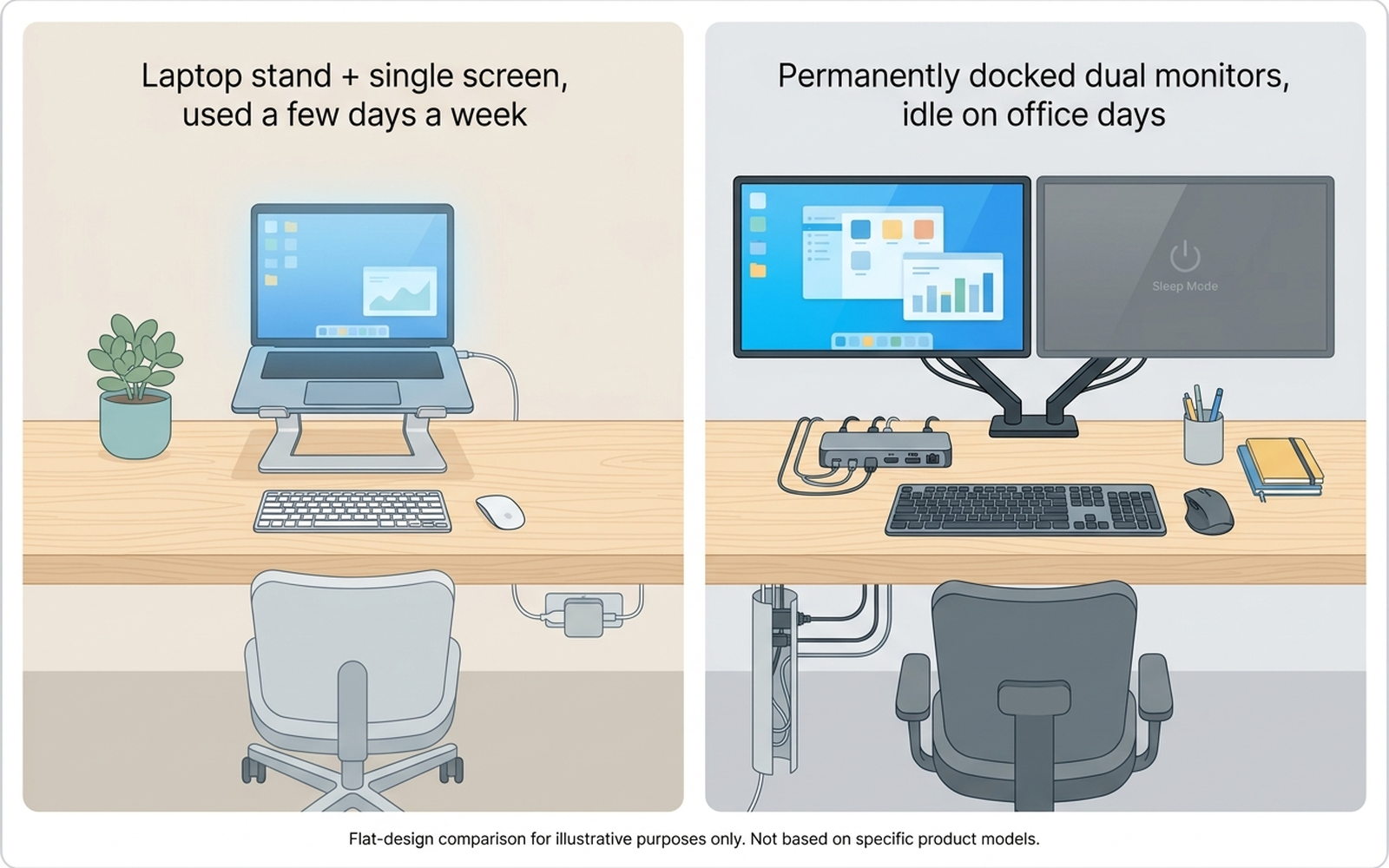
Hybrid work is now the majority pattern among remote-capable US employees rather than a temporary phase, according to 2026 labor-market tracking. For someone whose home desk is in active use two or three days a week, a permanent second monitor plus dock plus cabling is a fixed-cost purchase serving a part-time need — and it is exactly the setup Tom’s Guide’s own first-person testing found least satisfying to maintain, with the review noting that switching between a single large display and a laptop-only setup was simpler day-to-day than managing a two-monitor dock.
For this setup, a good laptop stand paired with the laptop’s own screen at eye level captures most of the ergonomic benefit without a second piece of desk furniture that sits unused on office days. The Roost V3 Laptop Stand (amazon.com) is one of the most-reviewed portable stands in this category; aggregated Amazon sentiment favors its packability and its ability to raise a laptop screen to eye level in seconds, with the recurring critique being that it is not a full monitor replacement for all-day, every-day use.
Check the Roost V3 Laptop Stand on Amazon
2. Small desks or apartments where a second monitor forces poor alignment
A second monitor needs its own footprint, its own stand or arm, and its own correctly matched eye-level height — and on a small or shared desk, that third requirement is usually the first one to get skipped. The peer-reviewed multi-monitor ergonomics review cited above identifies inconsistent screen height and angle, not screen count itself, as the dominant driver of neck and shoulder strain; a second monitor wedged onto a desk without room to align it properly is a documented way to add strain rather than remove it.
For this setup, the University of Utah/NEC data offers a direct substitute: a single well-sized 27- to 32-inch 4K display, mounted on a proper single-monitor arm, delivers a comparable productivity jump to the dual-20-inch configuration the study tested — in one footprint, at one correct eye-level height. The Dell UltraSharp U3225QE 32-inch 4K monitor (amazon.com) is a widely reviewed single-display upgrade in this size range, with aggregated Amazon sentiment favoring its color accuracy and USB-C hub connectivity; paired with an Ergotron LX Single Monitor Arm (amazon.com) — one of the best-reviewed single-arm mounts for aligning a large display to eye level — the combination replaces the “two screens for space” approach with “one screen, correctly positioned.”
Check the Dell UltraSharp U3225QE on Amazon
Check the Ergotron LX Single Monitor Arm on Amazon
3. Roles doing mostly linear, single-context work
The University of Utah/NEC study’s biggest task-time gains showed up in work that requires comparing or referencing information across windows — spreadsheets, copying data between documents, checking a second source while writing in a first. That is precisely the profile the dual-monitor marketing targets, and for that profile, extra screen space genuinely helps. But a large share of remote work is not that profile: video calls, drafting a single document, or coding inside one editor window for long stretches are linear, single-context tasks where a second display mostly adds a second place to get distracted, rather than a second place to reference.
For this setup, the fit is closer to what Tom’s Guide’s testing describes as the appeal of a single well-sized display: one focal point, no seam between screens, and less temptation to keep a second window open “just in case.” A single monitor sized in the sweet spot the research identifies — roughly 24 to 27 inches — covers this work pattern without the second-screen cost.
When a Second Monitor Still Makes Sense
None of this is a blanket case against dual monitors. The data supports adding one specifically when: your work is reference-heavy (finance, data analysis, comparing documents, multi-window development), you are at the same home desk essentially every workday, you have the desk space to align both screens at matching eye-level height, and the task-time gains the research documents are ones your actual workflow will realize. That is a real and common profile — it is simply not every remote or hybrid worker, which is where the general advice and the underlying research diverge.
Comparison Table
Prices are approximate amazon.com figures at the time of writing (August 2026) and fluctuate.
| Your setup | What the data suggests | Alternative product | Typical cost |
|---|---|---|---|
| Hybrid, home 2–3 days/week | Skip a permanent second monitor | Roost V3 Laptop Stand | ~$80–$100 |
| Small desk or apartment | Single larger display beats a misaligned pair | Dell UltraSharp U3225QE 32” 4K + Ergotron LX Single Arm | ~$700–$950 + ~$100–$140 |
| Mostly linear, single-context work | A well-sized single monitor covers it | 24–27” single display | ~$200–$400 |
| Reference-heavy work, full-time home desk | Second monitor still earns its keep | Dual-monitor setup or 15.6” portable second screen | ~$110–$170 (portable option) |
Limitations
This analysis relies on a widely cited University of Utah/NEC controlled study, a peer-reviewed ergonomics narrative review, Tom’s Guide’s first-person editorial testing, 2026 hybrid-work labor data, and aggregated amazon.com review sentiment, rather than our own side-by-side test of any specific monitor or arm. The University of Utah/NEC figures describe a specific set of office tasks tested at a point in time; results may vary by software, task type, and individual workflow. Industry-tracked “average productivity gain” percentages are estimates aggregated across studies with differing methodologies, not a single controlled measurement. Ergonomic outcomes depend on individual desk setup, chair height, and posture in addition to monitor count and position.
Bottom Line
Dual monitors are not a myth — the research genuinely supports them for reference-heavy work done at a fixed desk, every day. But the same data shows the underlying driver is pixel space and correct alignment, not screen count, and that a large share of remote and hybrid workers get more of the real benefit from a single, well-sized, properly positioned display than from a second monitor squeezed onto a desk that was not built for it.
Before you buy, paste the product link into Arekore — our AI assistant checks review authenticity, surfaces what the one-star reviews actually complain about, and compares prices, free, in about five minutes.