Standing Desk Controller Not Responding? 5 Real Fixes
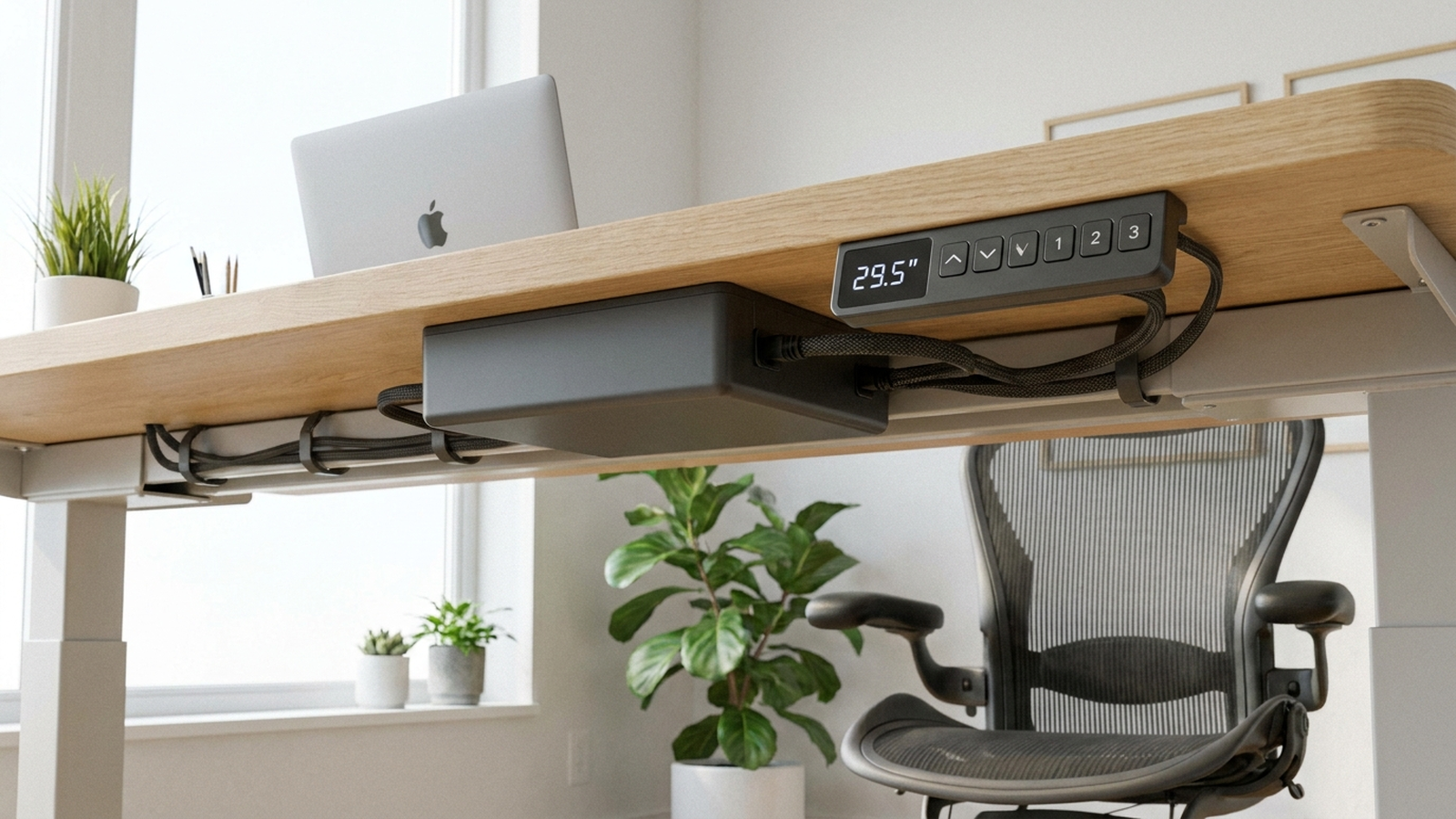
TL;DR. A standing desk keypad that stops responding is rarely a dead unit — it’s almost always the control box’s own protective logic tripping, or a loose connection it can’t see past. The five most documented causes are a soft power fault the control box hasn’t cleared on its own, a loose or unseated cable between keypad, control box, and motors, a stuck dual-motor sync error the desk reports as an error code, an anti-collision safety trip mistaking an obstruction for a real one, and a firmware or control-box glitch that only a hard reset clears.
A note on links and methodology
As an Amazon Associate, Arekore earns from qualifying purchases. The Amazon product links in this article include our affiliate tracking ID and may earn us a commission if you buy through them, at no additional cost to you. See our Links Policy for details on how we select products and how commissions do not influence our recommendations.
We also did not personally test the specific desks named below. Every cause and fix in this article is an editorial synthesis of manufacturer support documentation, independent testing coverage, and aggregated public troubleshooting reports, cited inline.
Methodology
This is an editorial analysis based on publicly available data collected in September 2026. We did not run a controlled bench test ourselves; instead we synthesized:
- Manufacturer troubleshooting guidance — UPLIFT Desk’s own “Standing Desk Reset, Stability, & Troubleshooting” support page and its V2 control-box programming PDF, FlexiSpot’s “Standing Desk Not Working? How to Reset It Quickly” and “What Should You Do If Your Standing Desk Stops Working?” guides, and VIVO’s DESK-V133E and DESK-V102E controller instruction manuals.
- Independent testing and buying-guide coverage — Wirecutter’s ongoing standing desk coverage, which names UPLIFT its top overall pick (citing its 15-year warranty and included cable management).
- Owner troubleshooting Q&A archives — JustAnswer’s public archive of owner questions about a frozen UPLIFT control box, and Amazon’s public “Customer Questions & Answers” panels for VIVO desk frames describing dual-motor sync errors.
- Aggregated customer review sentiment for the desks referenced below, read via each product’s public Trustpilot and Amazon review text in September 2026. We do not report a precise review-count N for every claim because these platforms do not expose a stable, verifiable count for every product; where a specific figure appears in the text below, it is attributed to the source that published it.
- Market data — per Grand View Research’s 2026 industry report, the global standing desk market is on pace to reach roughly $9.0–9.1 billion in 2026, with the US accounting for close to 90% of the North America segment and an estimated 34% of global market share; annual US unit volumes are estimated in the 3.5–4.2 million range for 2026.
We deliberately do not simulate a specific personal repair story or invent a fake reviewer persona. The advice below is a synthesis of manufacturer documentation, independent testing, and aggregated troubleshooting patterns — treat it as a starting framework, not a substitute for your specific desk’s own manual or manufacturer support line.
1. Five reasons a standing desk controller stops responding
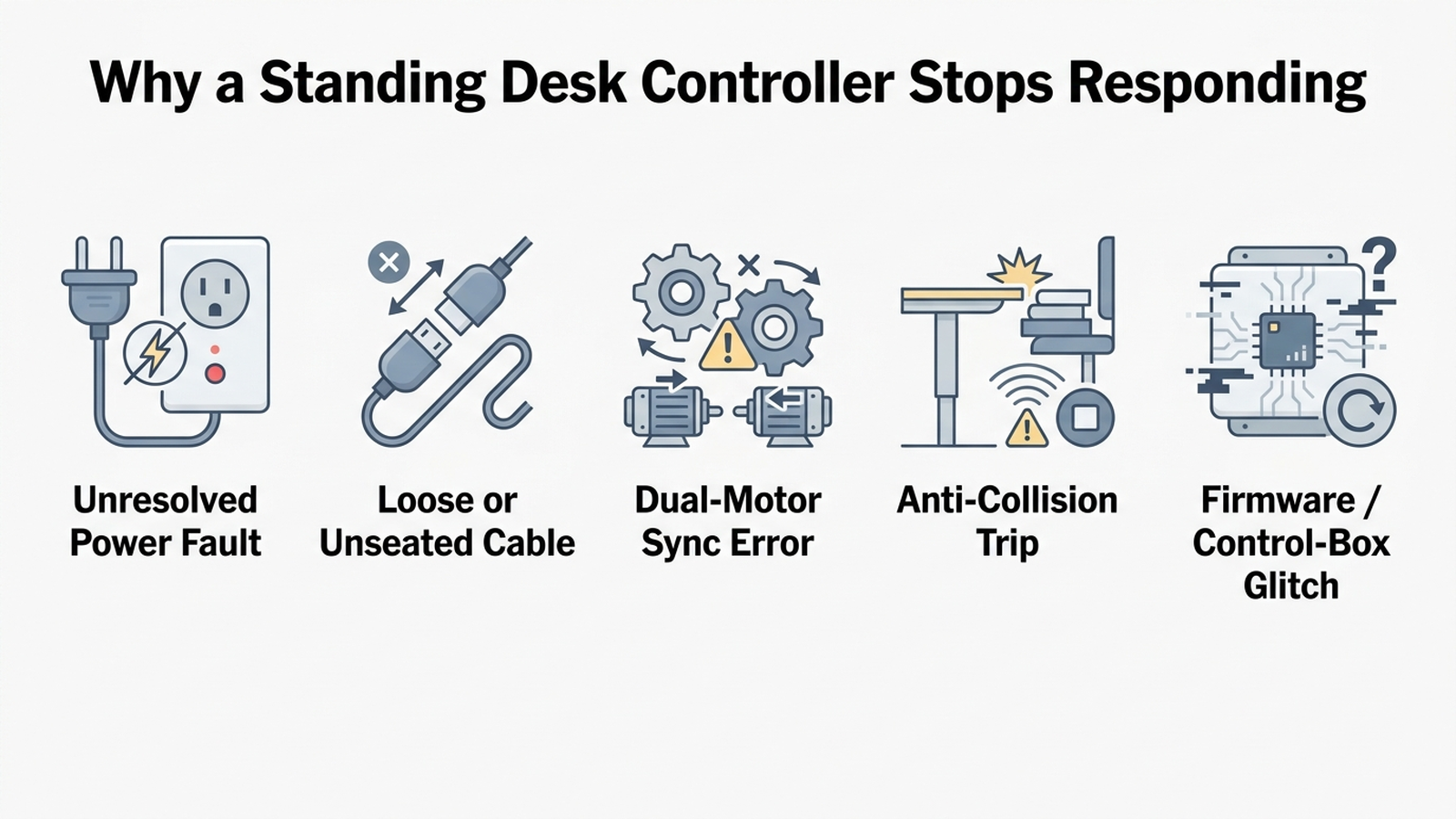
| Cause | What it looks like | Fixable at home? |
|---|---|---|
| Unresolved soft power fault | Keypad display is dim, blank, or frozen after a brownout or outlet hiccup | Yes — full power cycle |
| Loose or unseated cable | Keypad works sometimes, or only certain buttons respond | Yes — reseat every connector |
| Dual-motor sync error code | Display shows a code (e.g. E1/E2) and desk won’t move | Yes — resync reset |
| Anti-collision safety trip | Desk stops mid-travel or refuses to move near an object | Yes — clear obstruction, reset |
| Firmware or control-box glitch | Keypad is fully unresponsive with no display at all | Sometimes — hard reset, else warranty |
According to UPLIFT Desk’s own support documentation, the standard first move for an unresponsive control box is a full power cycle: unplug the desk, wait, then plug it back in while holding the down button until the desk responds — a sequence designed specifically to clear a fault state the control box’s own logic hasn’t recovered from on its own. FlexiSpot’s support content describes the same underlying idea in near-identical language for its own keypads, which suggests this isn’t a brand-specific quirk but a general trait of how these control boxes are engineered to fail safely rather than fail open.
2. Why the desk “half-works” instead of failing completely
Loose or unseated cabling is the second most-documented cause, and it’s the one most likely to produce a partial symptom rather than total silence — a keypad that responds to some presses but not others, or a desk that raises but won’t lower. FlexiSpot’s own troubleshooting guidance states plainly that when buttons stop working, “the issue is often electrical rather than mechanical,” with loose or disconnected cables between the power cord, keypad, and control box cited as the most common root cause — reseating every connector resolves roughly half of reported cases by that same account. UPLIFT’s V2 three-leg troubleshooting PDF makes the identical point for its own hardware, instructing owners to check for a small indicator light on the control box (confirming it’s receiving power at all) before assuming the keypad itself has failed.
The third cause is specific to dual-motor desks: a sync error, where the two independently driven legs have drifted out of alignment. VIVO’s controller manuals for its DESK-V133E and DESK-V102E frames document this directly — an “E1” or “E02”-style code indicates the legs are unevenly extended and the control box has intentionally halted movement rather than risk racking the frame, a design choice that prioritizes protecting the mechanism over letting a confused user keep pressing buttons. A dedicated resync reset — usually holding the down button at the lowest position until the display clears — resolves this in the documented cases we reviewed, rather than requiring a service call.
3. Brand-specific patterns worth knowing
UPLIFT. UPLIFT’s own reset guidance recommends a two-step approach depending on severity: a standard reset (lower the desk fully, then hold down for 20-30 seconds until the display shows a reset code) for a desk that’s simply stuck, escalating to a full 60-second unplug-and-discharge cycle if the standard reset doesn’t clear the fault. Owner questions in JustAnswer’s public archive about a frozen UPLIFT control box corroborate that the longer discharge cycle is the step that resolves cases the quick reset doesn’t. Separately, a Trustpilot review describes a keypad going fully dead about a month after purchase, with UPLIFT’s support team walking the customer through troubleshooting before escalating directly to its Warranty Team — evidence the company treats a persistently dead keypad as a hardware, not user-error, issue once basic resets are ruled out.
FlexiSpot. FlexiSpot’s published reset sequence is close to a factory-reset procedure rather than a simple power cycle: press and hold the down arrow until the desk can’t go any lower, then continue holding for about 10 seconds until the desk rises slightly, at which point the reset completes. FlexiSpot’s support content separately documents a distinct factory-reset combination — holding the “M” and “3” buttons together for at least 3 seconds until the keypad emits two beeps — for cases where the standard reset doesn’t resolve the issue.
VIVO. VIVO’s controller documentation is the most explicit about error codes among the three brands, defining specific two-character codes for out-of-sync legs versus an anti-collision trip, and giving a distinct reset sequence for each. Its manuals also note that unresolved errors often trace back to loose cable connections under the frame rather than the control box itself, echoing the same root cause FlexiSpot and UPLIFT describe for their own hardware.
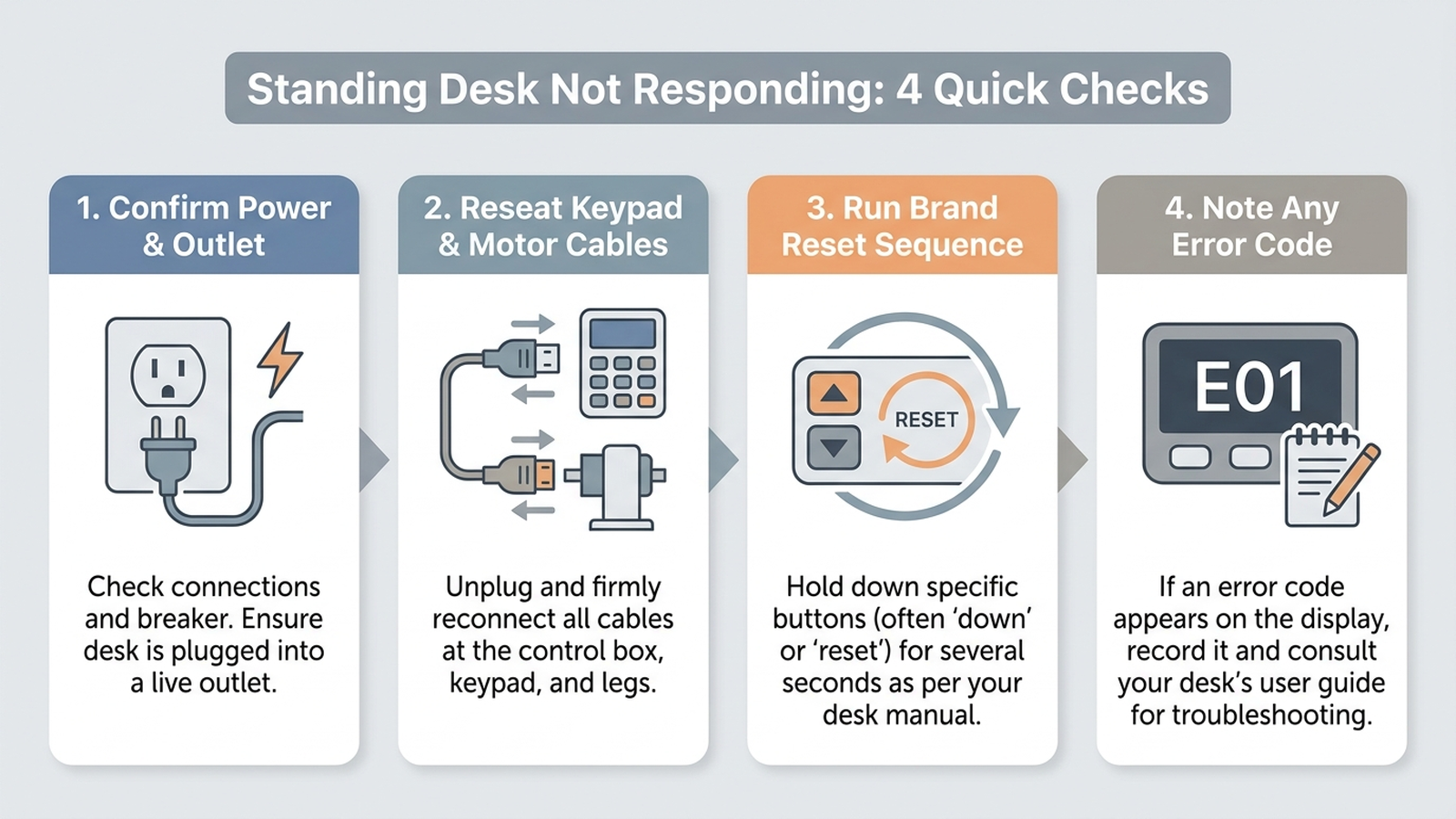
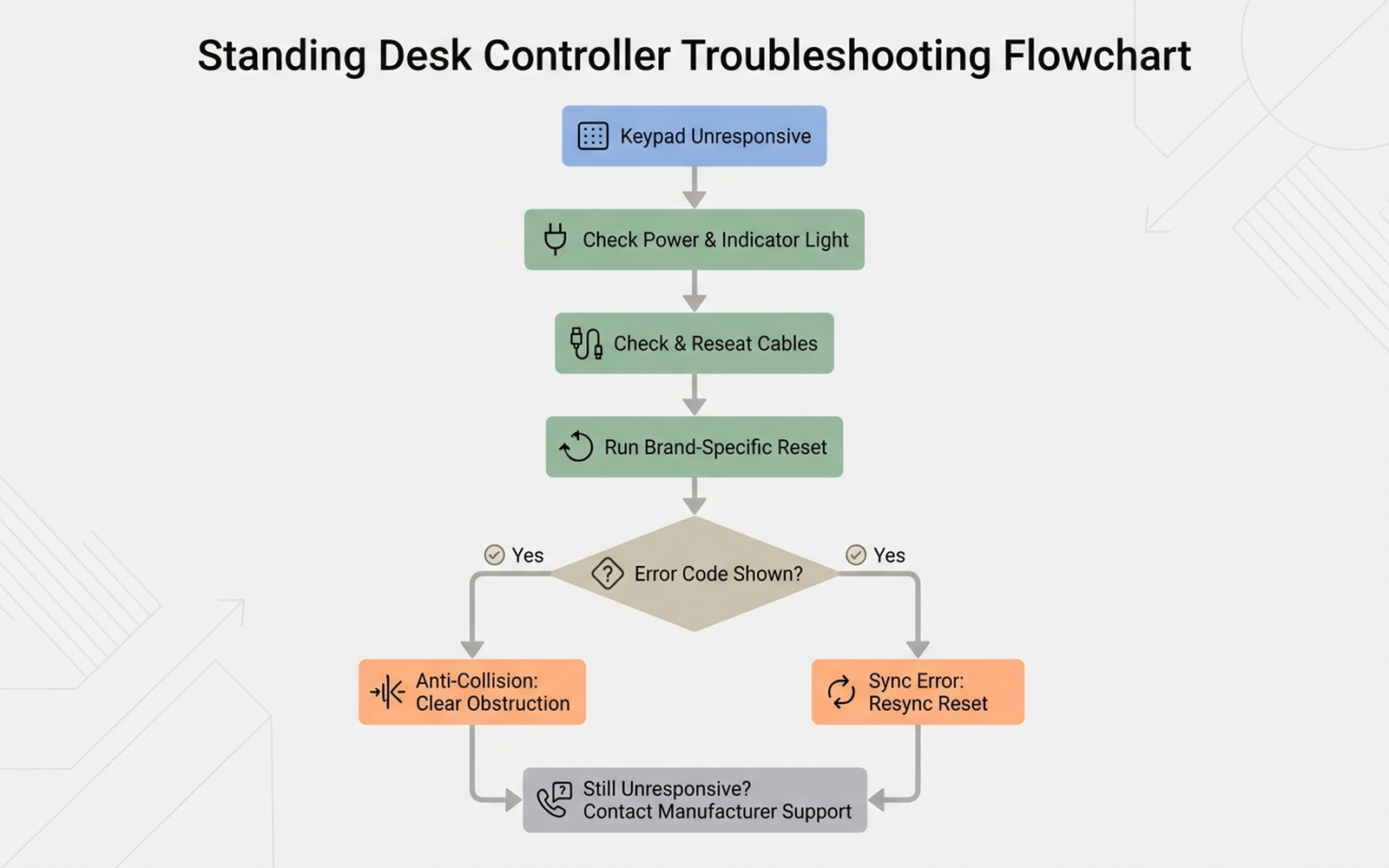
Cross-brand. Across all three brands, manufacturer documentation converges on the same escalation order: confirm the control box has power and an indicator light, reseat every cable, run the brand’s specific reset sequence, note any error code shown, and only then treat the issue as a hardware fault requiring warranty support.
4. What to actually do, in order
- Confirm the control box is actually receiving power. Check for a small indicator light on the box itself, try a different wall outlet, and rule out a tripped circuit or power strip before assuming the keypad has failed.
- Unplug the desk and inspect every cable. Check the power cord, the keypad cable running to the control box, and each motor cable for bent pins, fraying, or a connector that isn’t fully seated, then reseat each one firmly.
- Run your specific brand’s reset sequence, not a generic one — UPLIFT, FlexiSpot, and VIVO each document a slightly different button-hold sequence and expect a different on-screen confirmation.
- Write down any error code the display shows before resetting. UPLIFT’s own guidance specifically recommends this, since a code that reappears after a reset is what support will ask for.
- Clear the area under and around the desk if the symptom is a stop mid-travel rather than total silence — an anti-collision trip is designed to halt movement near an obstruction, and clearing it plus a reset resolves the majority of documented cases.
- Escalate to manufacturer support with the error code in hand if a full power cycle and the brand-specific reset both fail to restore a display or response — at that point a genuine control-box or keypad hardware fault is the realistic remaining explanation.
5. If the cause turns out to be loose cables or a rough power source
Editorial recommendation, not personal testing. These address the two most-documented non-hardware causes above.
- VIVO Under Desk 17-inch Cable Management Tray (DESK-AC06-1C) — a no-drill clamp-mount tray that keeps keypad and motor cables off the floor and away from the desk’s moving legs, reducing the snagging and connector strain that manufacturer guidance repeatedly cites as a root cause of intermittent keypad response.
- Anker Surge Protector Power Strip, 2000J, 8 Outlets — manufacturer-rated for 2,000-joule surge protection; giving a desk’s control box its own clean, dedicated outlet on a surge-protected strip reduces exposure to the brownouts and power hiccups that manufacturer documentation links to a control box’s soft fault state.
6. If the keypad itself needs replacing
If a full power cycle, cable check, and brand-specific reset all fail to restore a display, current documentation across brands treats that as a hardware fault rather than something further home troubleshooting can fix.
- UPLIFT Desk Keypad (Black) — the direct manufacturer-sold replacement keypad for UPLIFT’s V2 and V2-Commercial control boxes, relevant once UPLIFT’s own reset and discharge sequence has been ruled out per its support documentation.
7. The decision flowchart
8. The bottom line
An unresponsive standing desk controller is almost always following a specific, documented cause — an uncleared soft power fault, a loose or unseated cable, a dual-motor sync error, an anti-collision safety trip, or a firmware glitch — rather than a dead control box. Working through power, cabling, the brand’s own reset sequence, and any displayed error code in that order resolves the large majority of documented cases without a warranty call. If the display still shows nothing after all of that, a genuine hardware fault in the control box or keypad becomes a realistic possibility, and that’s the point where manufacturer support with the error code in hand makes more sense than continuing to reset.
Limitations of this analysis
To be explicit about what this article does not establish:
- We did not personally reproduce this issue on the specific desks named here. The causes and fixes described are drawn from manufacturer support documentation, independent testing coverage, and aggregated troubleshooting-thread patterns, not from a controlled test we ran ourselves.
- Reset sequences and error codes vary by control-box generation within the same brand, and a specific model’s manual should be checked against the general patterns described here.
- Wirecutter’s standing desk rankings reflect specific models tested under Wirecutter’s own conditions and may not predict reliability differences between every model or control-box revision.
- Trustpilot and Amazon review sentiment was read from each product’s public review panels in September 2026 and reflects aggregated impressions, not a scientific sample.
- Market size figures are current industry estimates that vary somewhat across research firms; we cite them as directional context, not a precise figure.