Home Security Camera Failures 2026: 3 Data-Backed Causes
DIY home security cameras have overtaken professional installs for the first time — 49% of alarm-system users now install their own system, compared with 42% who hire a pro, according to a SafeHome.org survey cited in Security.org’s 2026 DIY Home Security Systems report. That shift is saving households the cost of a technician, but it’s also moving the burden of getting the setup right onto the buyer. Across installation guides, manufacturer support pages, and aggregated Amazon review complaints, three failure patterns show up again and again, and they account for most of the “camera stopped working” and “it’s basically useless” one- and two-star reviews on wireless models: Wi-Fi range and interference, unmanaged motion-alert sensitivity, and power loss.
None of these are hardware defects in the sense of a broken camera. They’re setup-and-fit mismatches — a battery camera placed somewhere the router signal can’t reliably reach, a default sensitivity tuned for a controlled test environment instead of a windy porch, or a plug-in unit on a circuit that loses power more often than the owner realizes. This is an editorial analysis of why those three failures happen and what the data says actually fixes each one.
As an Amazon Associate, Arekore earns from qualifying purchases. The Amazon product links in this article may include our affiliate tracking ID and may earn us a commission if you buy through them, at no additional cost to you. See our Links Policy for details on how we select products and how commissions do not influence our recommendations.
TL;DR / Quick Verdict
- Wi-Fi range is the single biggest cause of “offline” complaints. Most household routers broadcast 2.4GHz signal with a nominal range of roughly 150 feet indoors, but exterior walls, insulation, and distance from the router routinely cut that well below what a garage- or backyard-mounted camera needs — and every router reboot or firmware update disconnects the camera again.
- Battery drain and “too many alerts” are usually the same root cause. Motion sensitivity left at factory defaults triggers on passing cars, tree branches, and shadows, and each false trigger both drains battery and buries the one real event a household actually needed recorded.
- Power loss silently disables plug-in and wired cameras. A loose adapter, a tripped GFCI outlet, or a dead circuit cuts a wired camera’s feed instantly, and unlike a battery model there’s no local buffer — the household often doesn’t find out until they go looking for footage that was never recorded.
- The fix for each cause is different and inexpensive relative to the camera itself: a mesh Wi-Fi extender for range, an adjustable-sensitivity or AI-detection camera for false alerts, and a dedicated PoE (Power over Ethernet) run for households that keep losing plug-in power.
How We Reached These Conclusions (Methodology)
This is an editorial analysis, not a hands-on test. We did not personally test the products covered here. This guide synthesizes: (a) troubleshooting and installation-failure documentation from Reolink, eufy, and independent smart-home installer guides describing the most common causes of security-camera disconnection and false alerts; (b) Consumer Reports’ 2026 wireless home security camera ratings, which specifically flag response-time and connectivity weaknesses on individual models; (c) aggregated Amazon customer review complaint patterns for battery-powered and plug-in cameras from major brands (Ring, Arlo, eufy, Wyze, SimpliSafe), as summarized by third-party support and review aggregators; (d) US household DIY-versus-professional installation share data from a SafeHome.org survey cited in Security.org’s 2026 DIY Home Security Systems report; and (e) published Wi-Fi signal range and 2.4GHz interference figures from consumer networking guides. Prices are amazon.com figures as of 2026-09-07 and change frequently.
Why Setups Fail: Three Technical Root Causes
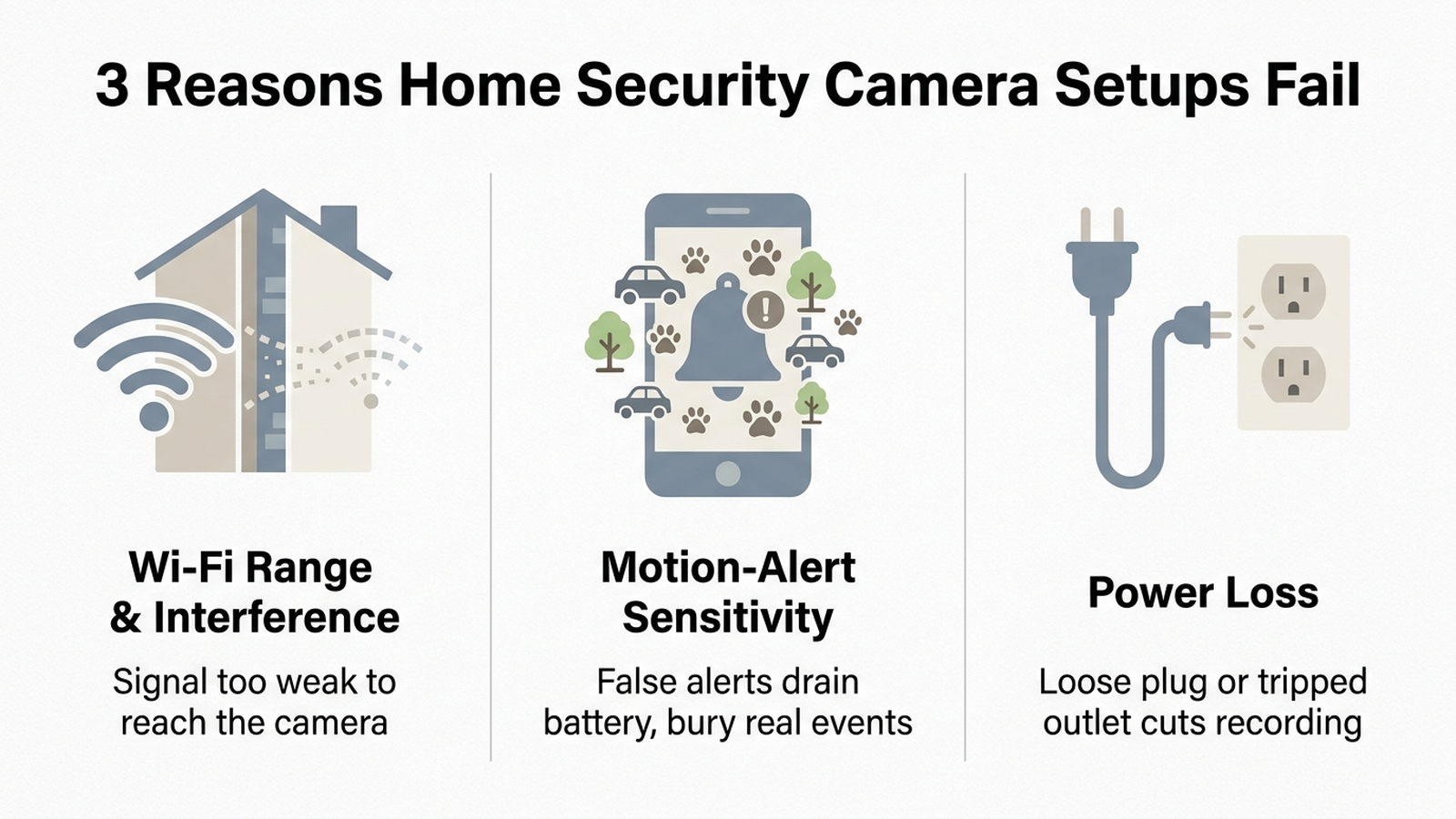
Installation guides and camera-brand support documentation converge on the same three root causes, and each one maps to a distinct type of camera setup:
- Wi-Fi range and interference (wireless battery and plug-in cameras). Wireless signal strength drops sharply once it passes through exterior walls, insulation, or into a garage, and most home routers and the cameras themselves compete on the same crowded 2.4GHz band as microwaves, cordless phones, and neighboring routers. Every router reboot, ISP outage, or firmware update also disconnects a Wi-Fi camera, and if the household isn’t home to notice, that gap in coverage goes undetected.
- Unmanaged motion-alert sensitivity (mainly battery-powered cameras). Motion detection tuned to a factory default routinely fires on headlights sweeping a driveway, wind-blown branches, rain on the lens, and passing traffic — none of which is a security event. Each false trigger both drains battery faster and pushes the one real event further down a notification feed the owner has usually already learned to ignore.
- Power loss (plug-in and hardwired cameras). A loose adapter, a tripped GFCI outlet (common on covered outdoor outlets), or a dead circuit cuts power to a plug-in camera immediately, and — unlike a battery camera, which keeps running on its own reserve — there’s no local buffer. The household typically only discovers the outage when they go looking for footage from an incident and find a recording gap.
What the Complaint Data Says, Brand by Brand
Amazon customer reviews for the major wireless brands cluster around the same three causes rather than being evenly distributed across unrelated problems:
- Battery-powered models (Ring Stick Up Cam, Arlo Essential, eufy S-series) draw the most complaints about false alerts combined with fast battery drain — the two are connected, since every false trigger consumes battery the same way a real event would. Reviewers who manually lower motion sensitivity and set detection zones in the companion app report meaningfully fewer nuisance alerts, according to brand support documentation.
- Budget plug-in models (Wyze Cam Outdoor, entry SimpliSafe cameras) cluster around Wi-Fi disconnection complaints, especially for units mounted more than one exterior wall away from the router. Consumer Reports’ 2026 testing separately flagged the SimpliSafe Wireless Outdoor Camera (SCM301) for slow response time, meaning even a successful detection can arrive with a meaningful notification delay.
- Wired PoE systems (Reolink and similar NVR-based kits) show far fewer connectivity complaints in the same review data, since a Cat5/Cat6 cable run isn’t subject to Wi-Fi interference or a wireless range limit — the tradeoff is a more involved install that pushes many DIY buyers toward the wireless category in the first place, which is also why PoE systems are a minority of the DIY-installed base despite the reliability advantage.
Manufacturer claims about “extended battery life” or “whisper-quiet” false-alert filtering describe engineering targets under controlled conditions; they are not a substitute for the aggregated review data above, which reflects real installation environments.
How to Diagnose and Fix Each Failure Cause
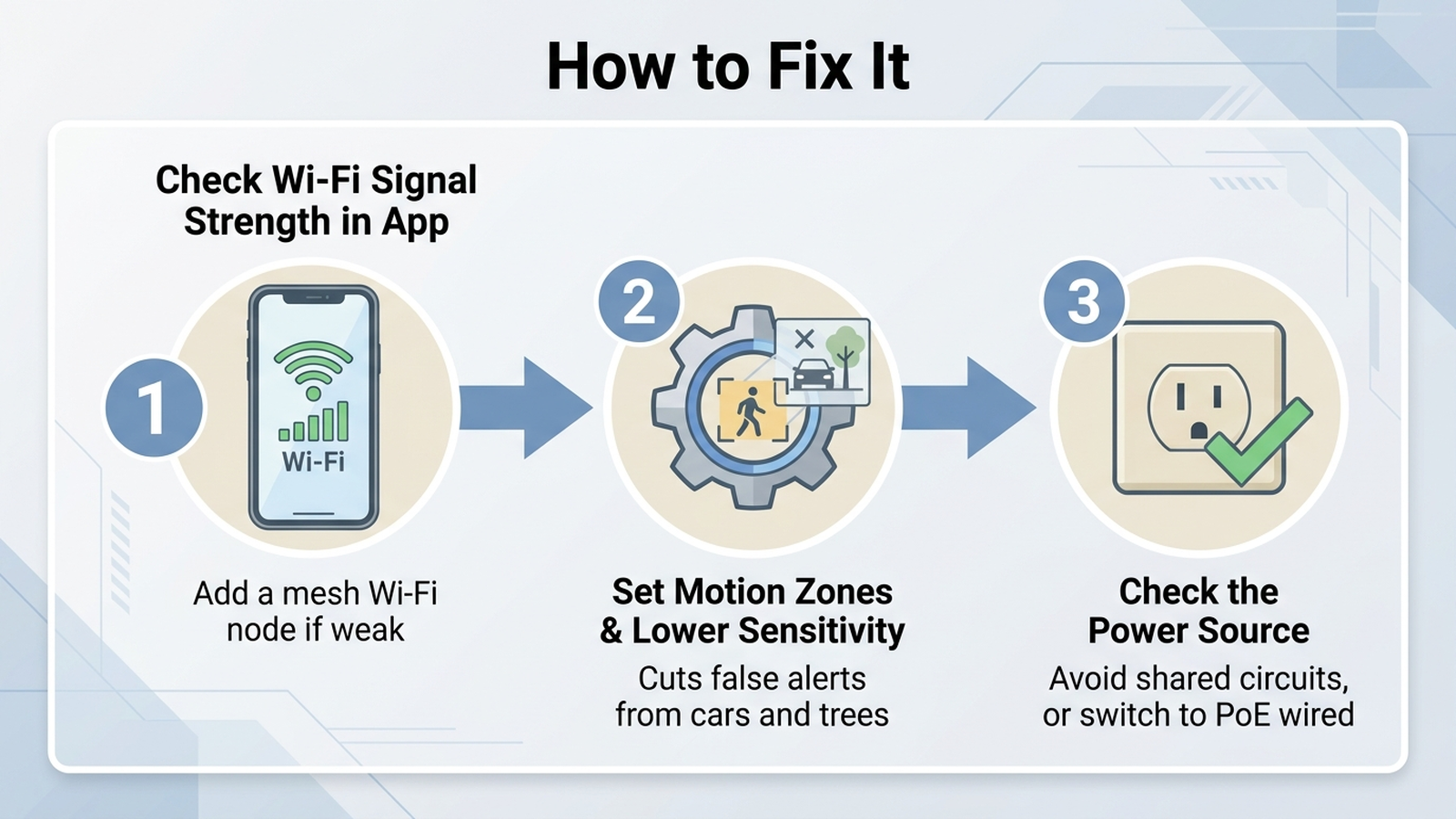
- If the camera repeatedly goes offline: check signal strength in the companion app first — most brands show a bar indicator. If it’s weak, the fix is either relocating the camera closer to the router or adding a mesh Wi-Fi node near the camera’s location rather than relying on the main router alone. An outdoor-rated mesh unit is the more durable fix for a detached garage or backyard camera than an indoor extender.
- If the camera sends frequent false alerts or drains battery fast: open the app’s motion settings and manually draw a detection zone that excludes the street, sidewalk, and any tree or bush in frame, then lower sensitivity one or two steps from the default. Cameras with dedicated person/vehicle/animal AI detection (rather than generic motion detection) filter a meaningfully higher share of non-human triggers, per brand documentation, though AI detection is often gated behind a paid subscription tier.
- If a plug-in camera has unexplained recording gaps: confirm the outlet isn’t on a GFCI circuit that trips silently, and avoid outlet timers or smart plugs on the same circuit, which can cut power without an obvious cause. For a household that has lost power to a camera more than once, a PoE (Power over Ethernet) camera run — which carries both power and data over a single Ethernet cable from an indoor switch — removes the outlet-dependency failure mode entirely, at the cost of a more involved cable install.
Comparison Table
Prices are approximate amazon.com figures as of 2026-09-07 and fluctuate.
| Failure cause | Typical setup affected | Fix | Approx. cost |
|---|---|---|---|
| Wi-Fi range / interference | Battery or plug-in wireless camera, garage or backyard placement | Add an outdoor-rated mesh Wi-Fi node near the camera | ~$100–$180 |
| Frequent false alerts / fast battery drain | Battery-powered camera with default motion settings | Manually set detection zones + lower sensitivity, or upgrade to AI person detection | Free (settings) to ~$3–$10/mo (AI subscription) |
| Power loss / recording gaps | Plug-in or hardwired camera on a GFCI or shared circuit | Dedicated outlet, or switch to a PoE wired camera system | ~$150–$400 (PoE 4-camera kit) |
| General reliability across all three causes | Any DIY wireless setup | Wired PoE NVR system (bypasses Wi-Fi and battery entirely) | ~$150–$400 |
Decision Flowchart
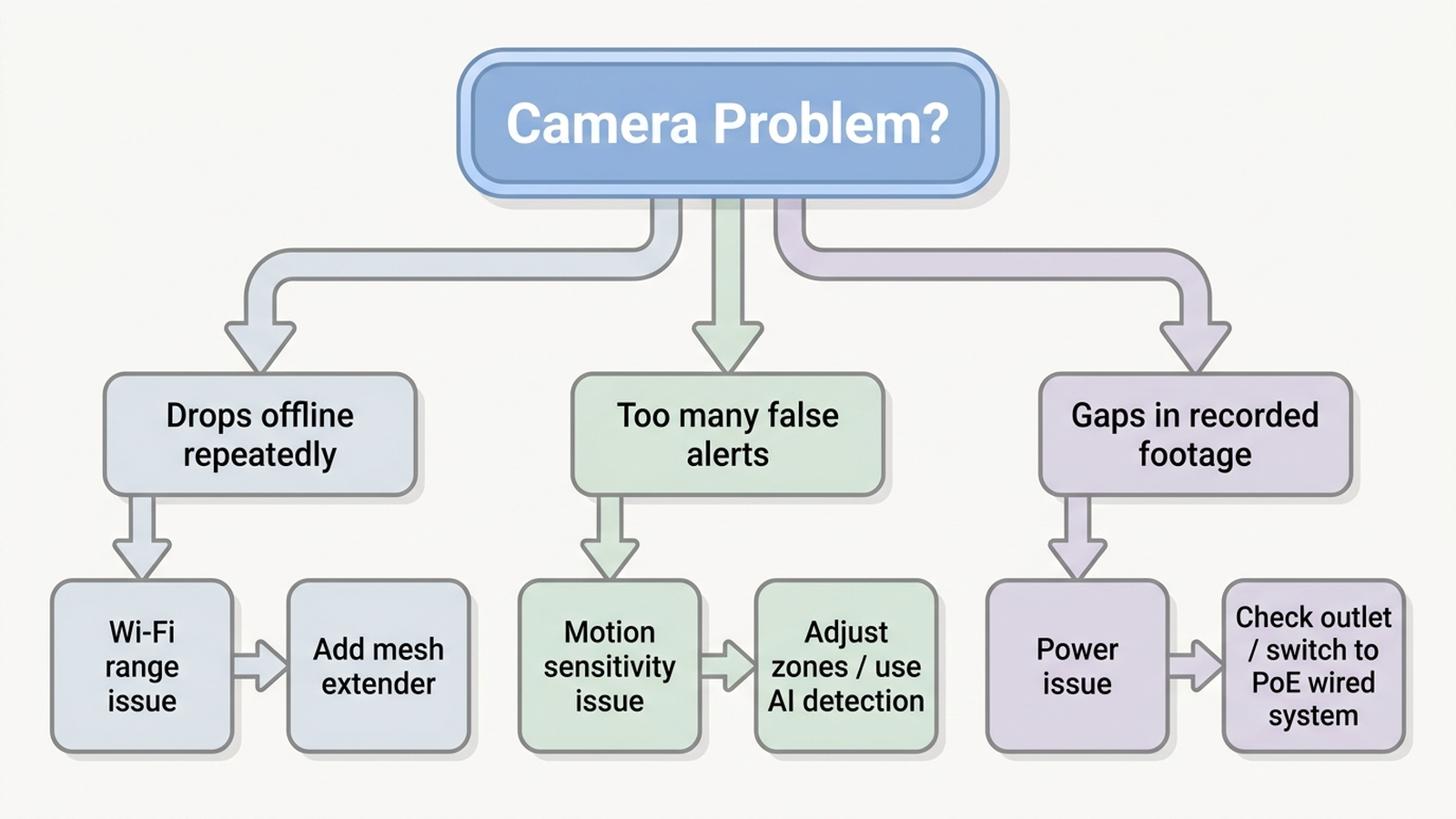
Start by checking the camera’s signal-strength indicator in the companion app. If it’s weak or the camera drops offline repeatedly, the cause is Wi-Fi range — add a mesh node before troubleshooting anything else. If signal is strong but the household is getting frequent alerts for cars, animals, or weather, the cause is motion sensitivity — adjust detection zones and sensitivity, or move to an AI-detection model. If neither applies but footage has unexplained gaps, check the power source: a GFCI outlet, a shared circuit, or a loose adapter is the likely cause, and a household that keeps hitting this should consider a PoE wired system instead of another plug-in camera.
Editorial Recommendation
For a household mainly fighting Wi-Fi range to a garage or backyard camera, an outdoor-rated mesh extender solves the root cause more reliably than repositioning the camera itself. The TP-Link Deco X50-Outdoor mesh Wi-Fi 6 unit (ASIN B0BKPRCS6W) is a weatherproof outdoor node built specifically to extend an existing Deco mesh network, or an indoor Deco system, to a detached structure or backyard.
Check the TP-Link Deco X50-Outdoor on Amazon
For a household mainly fighting false alerts and battery drain, the Arlo Essential Indoor Security Camera 2K (ASIN B0C67QCTFV) includes person and animal detection built in, which review data suggests filters more non-human triggers than generic motion detection, though its full AI feature set requires a paid Arlo Secure plan after the included trial.
Check the Arlo Essential Indoor Security Camera on Amazon
For a household that has repeatedly lost power to a plug-in camera, or simply wants to eliminate all three failure causes at once, a wired PoE system removes the Wi-Fi and battery dependency entirely. The Reolink 4CH 4MP PoE Security Camera System (ASIN B082R4Z4L4) bundles four wired outdoor cameras with a 4-channel NVR and local hard-drive storage, avoiding both Wi-Fi range limits and any recurring cloud subscription.
Check the Reolink 4CH PoE Security Camera System on Amazon
Limitations
This analysis relies on published troubleshooting documentation, Consumer Reports’ 2026 test findings, aggregated Amazon review complaint patterns, and industry DIY-installation statistics, rather than our own side-by-side test of every camera model discussed. Review-complaint patterns reflect what customers report publicly and may not capture every household’s experience; a given camera’s real-world Wi-Fi performance also depends heavily on router placement, home construction materials, and local 2.4GHz interference, all of which vary by household. Pricing for mesh extenders, cameras, and PoE kits is approximate and changes frequently. Individual results vary based on home layout, router hardware, and how closely a household’s failure symptoms match the causes described here.
Bottom Line
Most home security camera “failures” reported in reviews aren’t a broken product — they’re one of three predictable mismatches between the setup and the environment it’s placed in: Wi-Fi signal that doesn’t reach the mounting location, motion sensitivity tuned for a lab instead of a windy porch, or a power source that’s less reliable than the owner assumed. Each has a specific, inexpensive fix rather than a full camera replacement: a mesh extender for range, manual sensitivity tuning or AI detection for false alerts, and a dedicated circuit or PoE run for power loss. Diagnosing which of the three is the actual cause, using the flowchart above, is the difference between fixing the real problem and buying a second camera that fails the same way.
Before you buy, paste the product link into Arekore — our AI assistant checks review authenticity, surfaces what the one-star reviews actually complain about, and compares prices, free, in about five minutes.