How to Make a Robot Vacuum Battery Last Longer
Robot vacuums have moved from novelty to mainstream US appliance — the global category is valued at roughly $12.7 billion in 2026, according to industry market research, with a double-digit compound annual growth rate through the decade. But almost every long-term owner eventually hits the same wall: the robot that used to finish a whole floor now dies halfway through, or won’t leave the dock at all. The cause is rarely the motor or the sensors. It is the lithium-ion battery pack, and how it was charged and stored determines whether that decline shows up at year one or year three.
As an Amazon Associate, Arekore earns from qualifying purchases. The Amazon product links in this article may include our affiliate tracking ID and may earn us a commission if you buy through them, at no additional cost to you. See our Links Policy for details on how we select products and how commissions do not influence our recommendations.
TL;DR / Quick Verdict
- Keep the robot docked between cleaning cycles, but avoid letting it sit at 100% for weeks at a time. Lithium-ion cells age fastest when held fully charged and warm — the same chemistry tradeoff found in phone and EV batteries.
- Recharge promptly after each run; do not let the robot sit dead for days. iRobot’s own support documentation warns that a deep, prolonged discharge is one of the more damaging things you can do to the pack.
- A healthy pack is rated for roughly 300–500 full charge cycles before it drops to about 80% of its original capacity — a gradual runtime decline, not a sudden failure, according to battery-care guides and iFixit’s repair documentation.
- Under typical daily use, a genuine manufacturer battery holds up for about 12–24 months before the decline becomes noticeable, per iRobot customer support guidance and aggregated owner reports — heavy multi-pet households often see it sooner.
- If runtime drops sharply below the 30-minute mark or the unit won’t hold a charge at all, replacement is usually more cost-effective than troubleshooting further.
How We Reached These Conclusions (Methodology)
This is an editorial analysis, not a hands-on test. We did not personally test the products covered here. This guide synthesizes (a) manufacturer battery-care documentation from iRobot and Roborock; (b) independent repair and battery-longevity guidance from iFixit and consumer battery-care explainers; (c) aggregated amazon.com customer-review sentiment on best-selling robot vacuums and replacement batteries, sampled in August 2026, focused on complaints about runtime decline and batteries failing to hold a charge; (d) third-party test commentary from RTINGS on robot-vacuum runtime and recharge-resume behavior; and (e) market-size data from industry research reports. We did not conduct a formal review-mining study and cannot report a precise sample size (N) for the aggregated review sentiment described below; those observations reflect a qualitative read of top review threads on best-selling listings, not a statistically sampled dataset. Charge-cycle counts and battery-life figures are manufacturer and industry-standard lithium-ion estimates, not independently verified lab results specific to any single model. Prices are amazon.com figures at the time of writing and fluctuate.
Why Robot Vacuum Batteries Fail Faster Than Expected
Nearly every current robot vacuum on amazon.com — from budget models to flagship Roborock and iRobot units — uses a lithium-ion pack, the same chemistry found in phones and laptops. That chemistry has a well-documented weakness: it degrades fastest when held at full charge in a warm environment, and it degrades permanently (not just temporarily) when repeatedly drained close to empty. A robot vacuum’s charging dock is designed to top the battery back up to 100% and hold it there, which is convenient for the owner but is also close to the worst-case condition for long-term cell health if the dock itself sits somewhere warm, like next to a heating vent or in direct sun through a window.
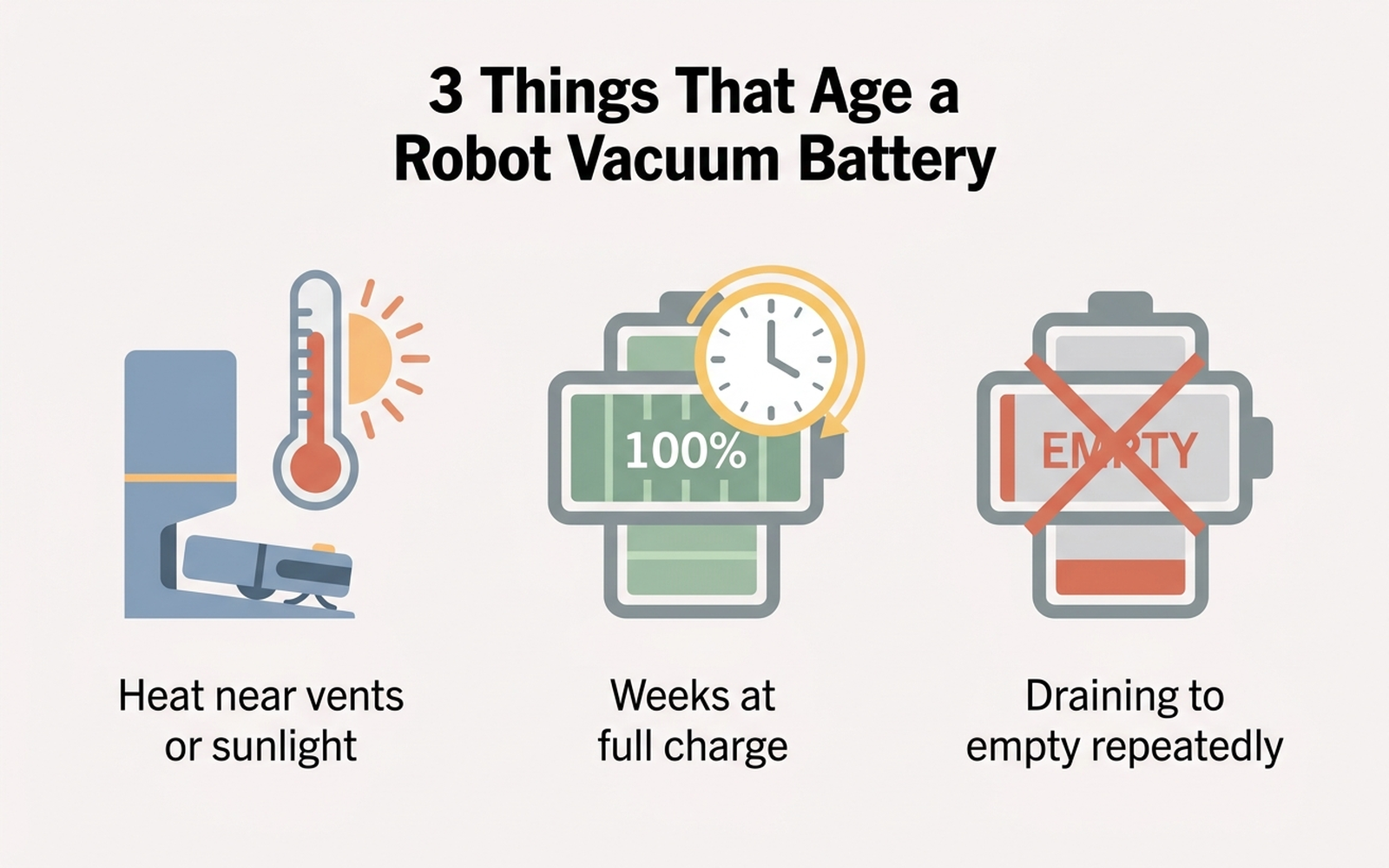
Three factors do most of the damage, according to battery-care guides and iFixit’s repair documentation:
- Heat. Lithium-ion cells age fastest above roughly 95°F (35°C). A dock placed near a heating vent, a sunny window, or an enclosed cabinet with poor airflow shortens battery life more than any charging habit.
- Prolonged full-charge storage. A pack held at 100% for extended periods — for example, a robot vacuum that goes unused for a few weeks over a move or a long trip — ages faster than one cycled through normal use. This mirrors the same guidance phone and EV manufacturers give.
- Deep discharge cycles. Letting the robot run all the way down and then sit dead for days, rather than recharging promptly, causes disproportionate and sometimes irreversible capacity loss. iRobot’s own support documentation flags this directly: waiting several days to recharge after use “can damage the battery.”
Manufacturer Guidance, Model by Model
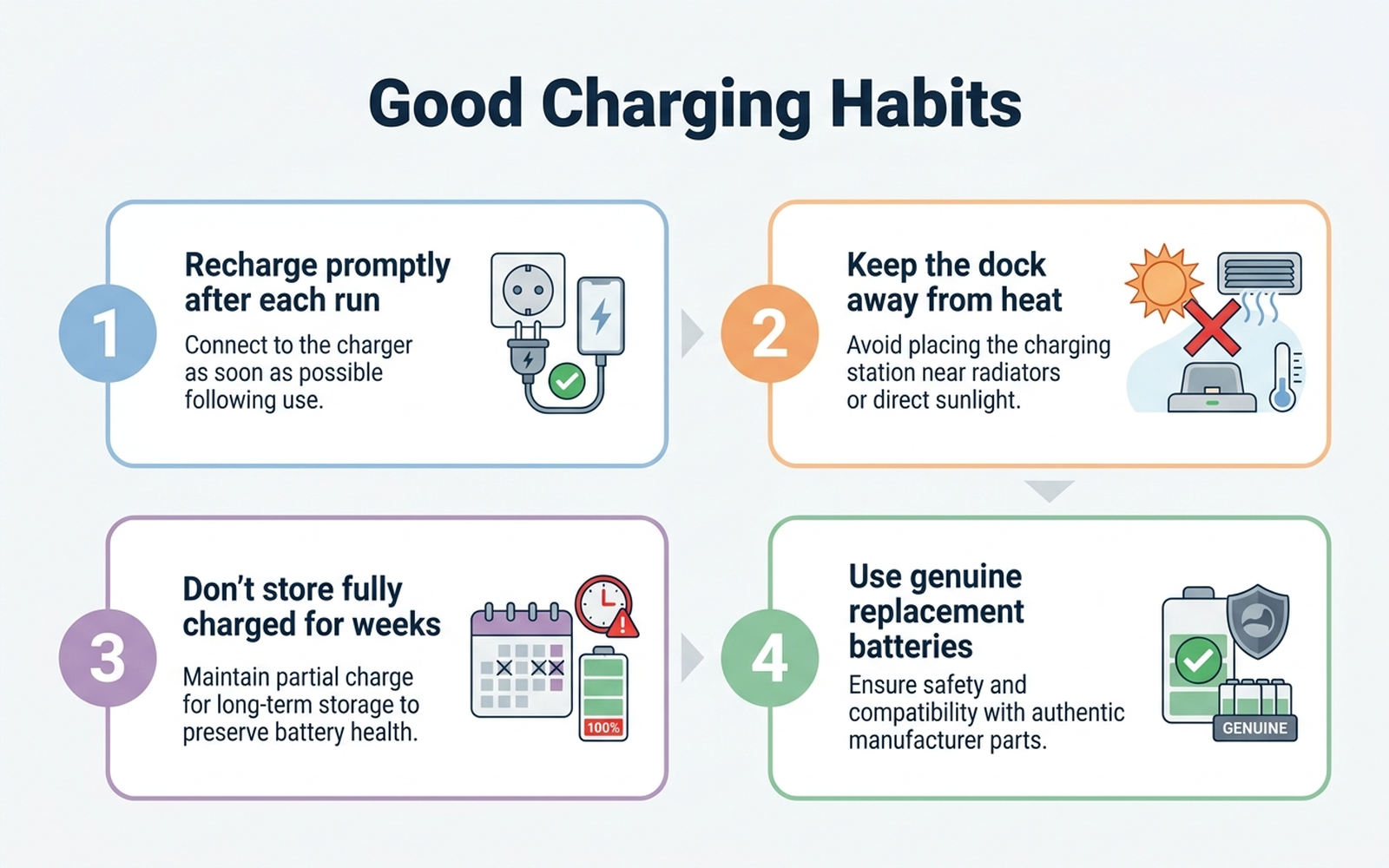
- iRobot (Roomba): Official customer-care guidance recommends using the robot regularly, keeping it on its charging dock (Home Base or Clean Base) when not in use, and recharging as soon as possible after a cleaning run rather than letting it sit depleted. iRobot also warns against third-party batteries that don’t meet its specifications, citing both performance and safety concerns.
- Roborock: Manufacturer and enthusiast maintenance guides converge on similar habits — avoid storing the robot in direct sunlight or unheated cold spaces, keep the charging contacts clean (a dirty contact can cause incomplete charging that looks like battery failure but isn’t), and don’t leave the unit powered off and undocked for extended stretches.
- Shark and ECOVACS: Both brands’ support documentation echoes the same core guidance: dock the robot between uses, avoid extreme ambient temperatures, and expect a gradual, not sudden, decline in runtime as the pack ages.
What Independent Testers and Repair Guides Say
RTINGS, which maintains an ongoing robot-vacuum test database, evaluates battery runtime and recharge-resume behavior as part of its scoring — noting that most current models run somewhere between 60 and 180 minutes per charge, with higher-end models pairing longer runtime with a “recharge and resume” feature that lets the robot top off mid-cleaning rather than stalling out entirely. That resume behavior matters for long-term battery health too: a robot that automatically docks and tops up before running critically low avoids the deep-discharge damage pattern that manufacturer guidance warns against, compared to an older or budget model that simply dies wherever it stands.
iFixit’s teardown and repair documentation frames the underlying chemistry in plain terms: lithium-ion battery lifetime is measured in charge cycles, not calendar time, and a healthy pack is typically rated for 300–500 full cycles before capacity falls to about 80% of new — the point where owners start noticing a real difference in runtime. A daily-use robot vacuum can reach that cycle count in roughly one to two years, which lines up with the replacement window most manufacturer support pages describe.
What Aggregated Amazon Reviews Actually Say
Reading through review threads on best-selling robot vacuums and their replacement-battery listings surfaces a consistent pattern, even without a formal review-mining study:
- Complaints about runtime decline cluster around the 12–24 month mark, matching the cycle-count math above rather than suggesting a widespread manufacturing defect.
- A meaningful share of one- and two-star reviews on budget and off-brand models describe batteries failing far sooner — some within months rather than years — which tracks with cheaper cells and less sophisticated charge-management circuitry than flagship models use.
- Replacement-battery listings for iRobot and Roborock models draw largely positive reviews when owners buy genuine or manufacturer-certified parts, with runtime restored close to original; reviews for uncertified third-party batteries are more mixed, with some reporting a shorter effective lifespan than the part they replaced.
- A charging-contact issue is a recurring false alarm — several reviewers describe a robot that appeared to have a dead battery, but the actual fix was cleaning corrosion or dust off the metal charging contacts on the robot and dock.
Comparison Table
Prices are approximate amazon.com figures at the time of writing (August 2026) and fluctuate.
| Product | ASIN | Type | Rated cycles | Approx. price |
|---|---|---|---|---|
| iRobot Roomba e/i Series Lithium-Ion Replacement Battery | B07H78FR1N | Genuine manufacturer battery | Manufacturer-rated, not independently disclosed | ~$50–$60 |
| iRobot Roomba 1800 Series Lithium-Ion Battery (600–900 series compatibility) | B07C4SGM54 | Genuine manufacturer battery | Manufacturer-rated, not independently disclosed | ~$45–$55 |
| Third-party Lithium Roomba Replacement Battery (multi-series) | B00FML2LYK | Third-party lithium-ion | Not independently verified | ~$25–$35 |
Editorial Recommendation by Household Type
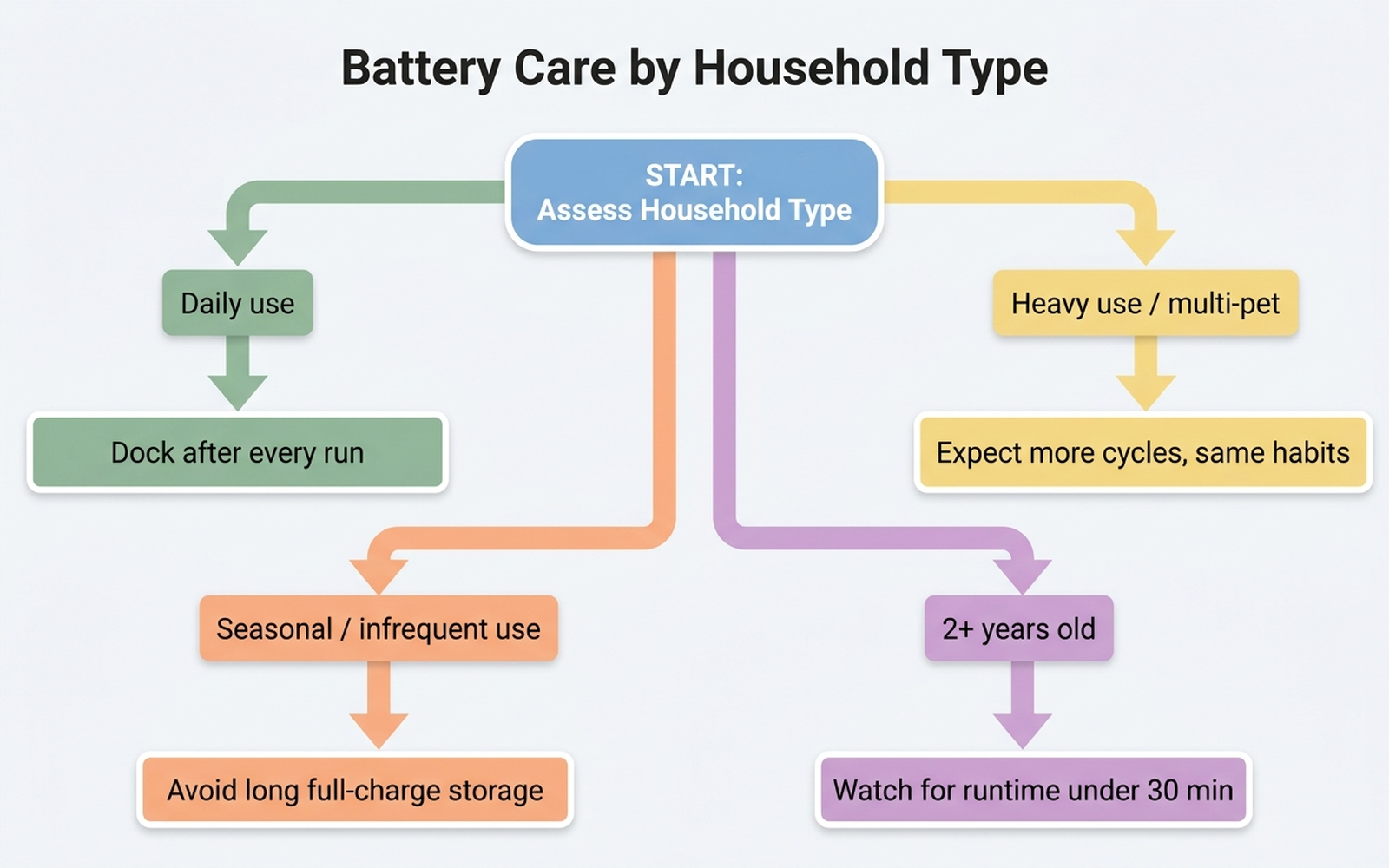
- Typical daily-use household: dock the robot after every cleaning run, recharge promptly, and avoid placing the dock near a heat source. This is the baseline manufacturer guidance is written for, and it should support roughly 12–24 months before any noticeable decline.
- Large home or multiple pets (frequent, longer runs): the same habits apply, but expect to reach the 300–500 cycle threshold sooner simply because more cycles accumulate per month. A shorter effective battery lifespan here reflects cycle count, not a defect.
- Seasonal or infrequent users: avoid leaving the robot fully charged and idle for weeks at a stretch — run a cleaning cycle at least every few weeks even in a low-use season, since prolonged full-charge storage ages the pack independent of how much it’s actually used.
- Owners already past the two-year mark: watch for the specific failure pattern of runtime dropping sharply below 30 minutes, or the robot going from full charge to dead within a single short run. That pattern points to a battery needing replacement, not a firmware or sensor issue.
Buying the Right Replacement
Battery part numbers are model-specific, and mismatched voltage or capacity is a common source of buyer frustration in this category. Confirm the exact model number (usually printed on the underside of the robot or in its companion app) against the listing’s compatibility chart before ordering, and favor genuine manufacturer batteries over uncertified third-party packs where budget allows — aggregated reviews suggest more consistent runtime and fewer safety-related returns with certified parts.
Check the iRobot Roomba e/i Series Lithium-Ion Replacement Battery on Amazon
Check the iRobot Roomba 1800 Series Lithium-Ion Battery on Amazon
Check the Lithium Roomba Replacement Battery (multi-series) on Amazon
Limitations
This analysis relies on manufacturer battery-care documentation, RTINGS test commentary, iFixit repair guidance, and aggregated amazon.com customer-review sentiment rather than our own instrumented testing of battery degradation over time. Charge-cycle counts and capacity-loss thresholds are general lithium-ion industry figures, not independently verified lab measurements for any specific model. Actual battery lifespan varies with climate, dock placement, cleaning frequency, home size, and how consistently a household follows manufacturer charging guidance. Individual experience may vary based on use case and unit-to-unit variance.
Bottom Line
A robot vacuum battery is not a lottery — it is a lithium-ion pack that responds predictably to heat, prolonged full-charge storage, and deep discharge cycles, the same three factors that shorten phone and EV battery life. Dock it promptly after every run, keep the dock away from heat sources, and avoid letting it sit dead or fully charged for weeks at a time, and a genuine battery should comfortably clear the 12–24 month mark manufacturers describe before any real decline sets in.
Before you buy a replacement battery or a new robot vacuum, paste the product link into Arekore — our AI assistant checks review authenticity, surfaces what the one-star reviews actually complain about, and compares prices, free, in about five minutes.