Cordless Vacuum Won't Charge? 5 Real Causes (2026)

TL;DR. A cordless vacuum that won’t charge is rarely a dead unit — it’s almost always one of five documented points of failure between the wall outlet and the battery cells. The most common causes, in rough order of frequency, are a loose or improperly seated connection at the dock, dirty charging contacts, a faulty outlet or charger, a battery pack that has aged past its usable cycle life, and — less often — a charge-controller fault that a soft reset clears. Cleaning the contacts and confirming the outlet works resolves the large majority of documented cases; a battery more than two to four years old that still won’t hold charge after those checks is the one cause that typically requires replacement.
A note on links and methodology
As an Amazon Associate, Arekore earns from qualifying purchases. The Amazon product links in this article include our affiliate tracking ID and may earn us a commission if you buy through them, at no additional cost to you. See our Links Policy for details on how we select products and how commissions do not influence our recommendations.
We also did not personally test the specific machines named below. Every cause and fix in this article is an editorial synthesis of manufacturer support documentation, independent battery-research findings, and aggregated public troubleshooting reports, cited inline.
Methodology
This is an editorial analysis based on publicly available data collected in October 2026. We did not run a controlled charging-cycle test ourselves; instead we synthesized:
- Manufacturer troubleshooting documentation — Dyson’s official “No Power” support journey page, which walks through cable damage checks, outlet verification, and battery-casing inspection; Shark’s official LED-pattern guidance on what a solid, pulsing, or all-flashing charge light means; and Tineco’s official troubleshooting article for its LITEVAK cordless line covering charging-connection and reset steps.
- Independent repair and explainer sourcing — iFixit community troubleshooting threads for Dyson cordless models, and appliance-repair explainer sites (whichvac.com, vacuumowl.com, homeappliancefixing.com) that catalog documented charging failure points across brands, cross-referenced against the manufacturer documentation above rather than treated as a standalone source.
- Aggregated owner troubleshooting reports — JustAnswer small-appliance threads specific to cordless stick vacuums that stopped charging, used here only where the described symptom and fix matched manufacturer guidance.
- Battery-chemistry research — published lithium-ion degradation findings on cycle life and optimal charge-range practices, summarized by chargie.org and the University of Michigan’s battery-lifespan research, cross-referenced against manufacturer battery-care guidance.
- Market and durability data — per cordless vacuum market research aggregated by SNS Insider and Fortune Business Insights, the cordless segment holds roughly 61-80% of stick vacuum sales depending on region and measurement year, and lithium-ion cells in this category typically require replacement after 400-500 charge cycles (roughly 18 months of regular use), with capacity dropping by an average of 20% after 500 cycles.
We deliberately do not simulate a specific personal repair story or invent a fake reviewer persona. The guidance below is a synthesis of manufacturer documentation, independent research, and aggregated troubleshooting patterns — treat it as a starting framework, not a substitute for your specific model’s manual.
1. Five reasons a cordless vacuum won’t charge
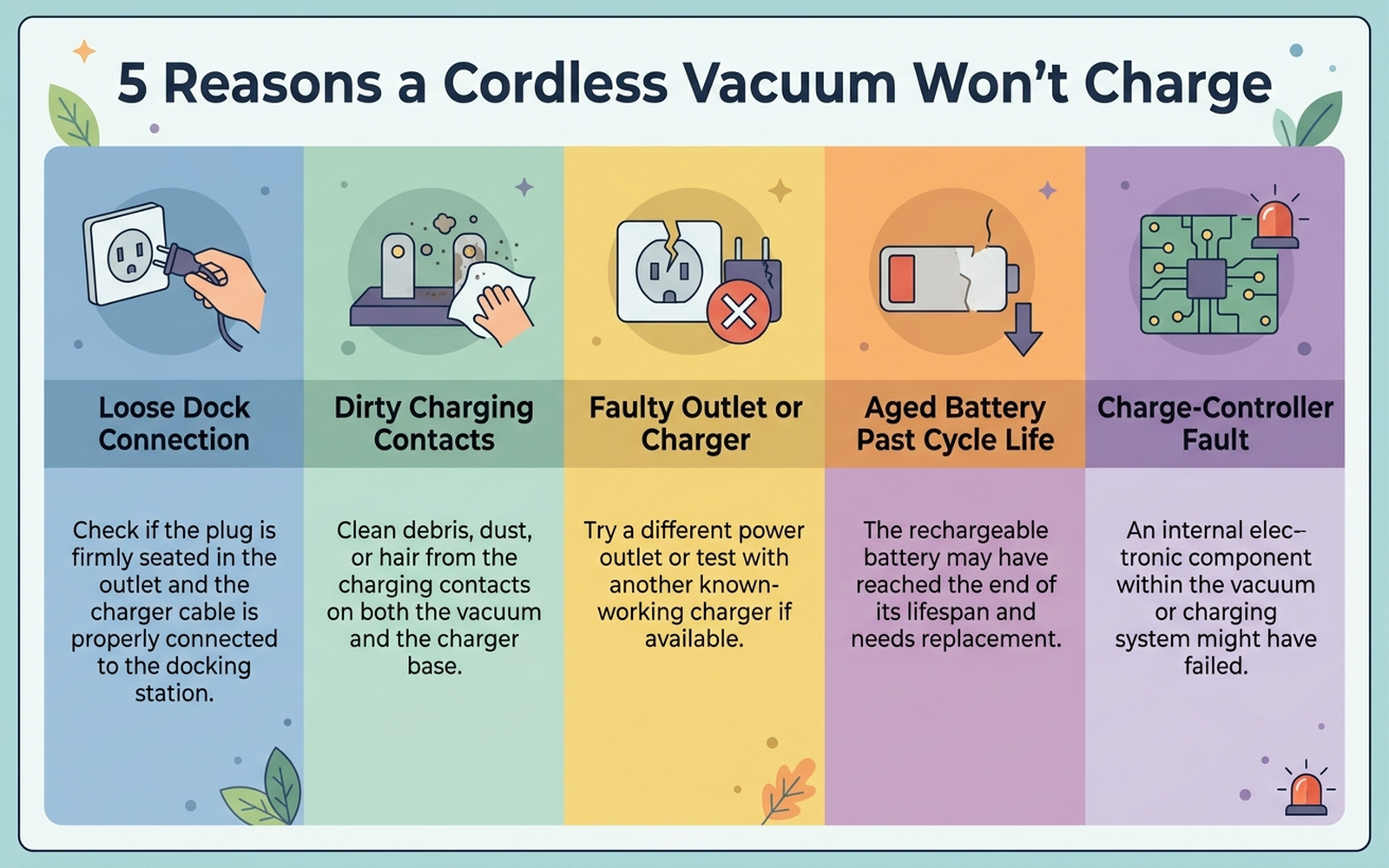
If the charge light stays off, flashes in an error pattern, or the vacuum runs out of power almost immediately after a full charge, the cause is almost always one of five specific points of failure rather than a dead motor:
| Cause | What it looks like | Fixable at home? |
|---|---|---|
| Loose or improper dock connection | No charge light at all; vacuum not seated flush or clicked into the dock | Yes — immediately |
| Dirty charging contacts | Charge light flickers or doesn’t engage even when docked correctly | Yes — usually |
| Faulty outlet or charger cable | No charge light regardless of how the vacuum is seated | Yes — swap outlet/cable to confirm |
| Aged battery past cycle life | Charges but drains in minutes; capacity has declined gradually over months | No — usually requires battery replacement |
| Charge-controller fault | All lights flash together, or charging stalls partway and never completes | Sometimes — a soft reset often clears it |
A loose dock connection is the single most commonly cited cause across manufacturer support content: Tineco’s own troubleshooting documentation directs owners to confirm the vacuum is seated properly in the dock — with an audible click or visible charging light — as the first diagnostic step, ahead of any hardware inspection. Shark’s support guidance treats the charge-light pattern itself as the primary diagnostic tool: a slow pulse means normal charging, solid-then-off means a completed charge, and both the top and bottom LED pair flashing together signals the battery is temporarily too hot or too cold to accept a charge safely rather than a hardware fault.
2. Why the vacuum looks “dead” but the battery isn’t
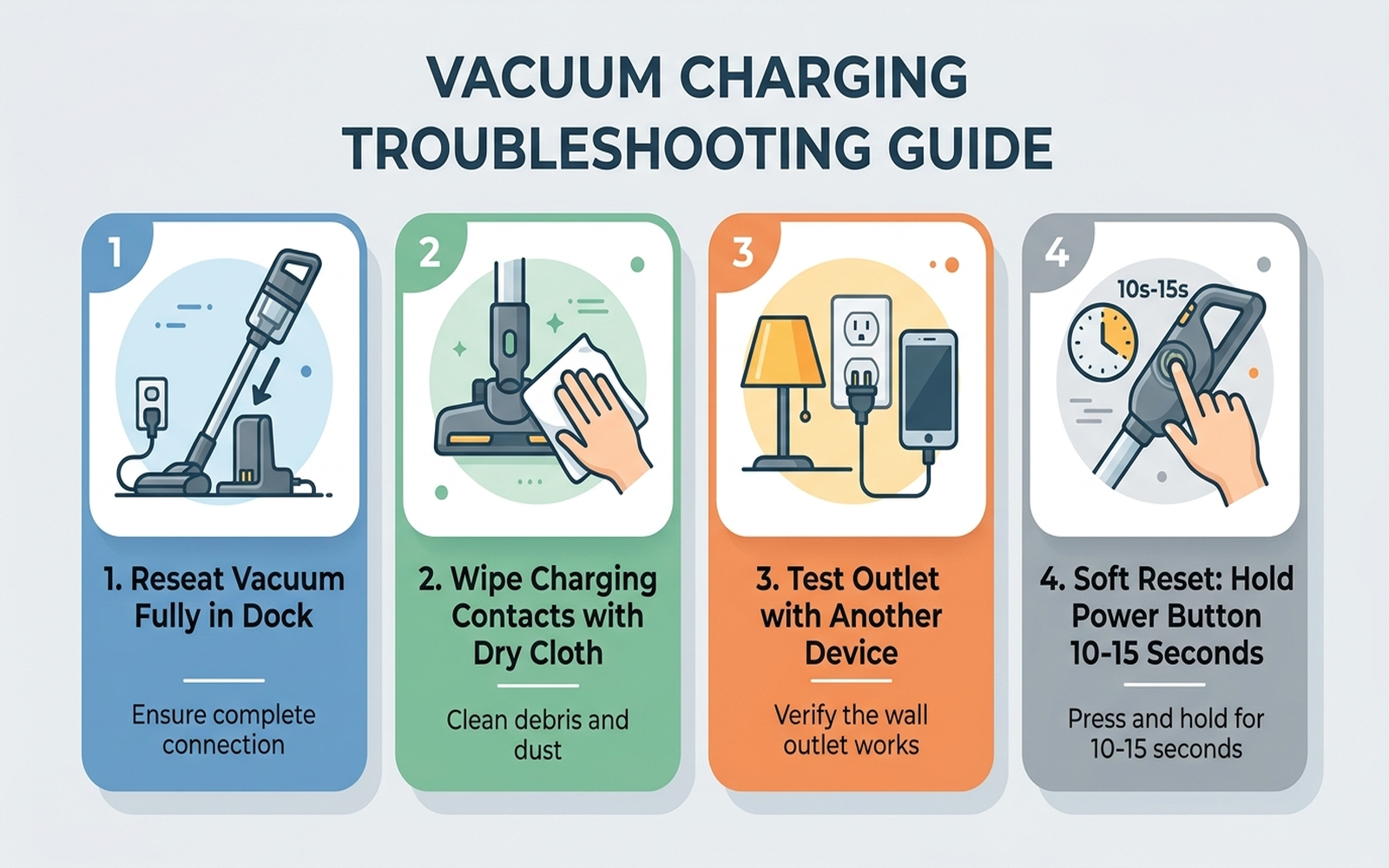
A cordless vacuum’s charging path runs through several physical contact points before current ever reaches the battery cells — the wall outlet, the charger brick or cable, the dock’s charging pins, and the matching pins on the vacuum body itself. A failure at any one of those points produces the same symptom from the owner’s perspective: no charge light, no power. That’s why a vacuum that “won’t charge” so often turns out to have a perfectly healthy battery underneath a dirty contact or a half-seated dock.
Dirty charging contacts are a documented but easy-to-miss cause. Dust and lint from the vacuum’s own job collects on the metal pins over time, and unlike a clogged filter, there’s no symptom that points directly at it — the vacuum simply doesn’t charge, with no warning light pattern that distinguishes it from a dead charger or a bad outlet. Manufacturer and repair guidance consistently recommend wiping both sets of contacts with a dry cloth or cotton swab, explicitly avoiding water or cleaning products that could damage the contact surface.
A charge-controller fault behaves differently again: the physical connection is fine, but the internal circuit that manages the charge cycle gets stuck in a state it can’t recover from on its own. This is the scenario a soft reset is built to fix — removing the battery or lifting the vacuum off the dock, holding the power button for 10-15 seconds to discharge any residual power, and waiting several minutes before reconnecting. Tineco’s own support documentation recommends this sequence as a way to clear a charge cycle that has stalled or stopped responding.
3. Brand-specific patterns worth knowing
Dyson. Dyson’s official “No Power” troubleshooting journey starts with the cable itself: if it shows any visible damage, Dyson’s guidance is explicit that you should not plug it in or attempt to charge the machine, and should contact Dyson support instead. Past that check, Dyson recommends removing the battery from the vacuum body and charging it separately for at least eight hours, and — if the battery feels hot to the touch — letting it cool for an hour before attempting to charge again. Dyson also notes that a battery with a visibly cracked or damaged casing should not be charged further, for safety reasons, and that machines under two years old are covered by Dyson’s manufacturer guarantee, which includes the battery.
Shark. Shark’s support content treats the LED charge-light pattern as the primary diagnostic signal rather than something to just glance at. A slow, steady pulse during charging is normal; the top and bottom LED pair flashing together indicates the battery is temporarily too hot or too cold to charge safely — Shark’s guidance is to simply leave it connected, since charging resumes once the temperature normalizes. A different pattern — only the top two or only the bottom two LEDs flashing — is the one Shark’s guidance escalates straight to contacting customer service for, since that distinct pattern is associated with a hardware fault rather than a temperature pause. Shark also flags using the correct charger model as a real failure mode: different Shark cordless lines use different voltage ratings, and an incorrect charger may fail to charge the battery at all or damage the charge-management circuit over time.
Tineco. Tineco’s official troubleshooting guide for its LITEVAK cordless line walks through the charging path in the same order independent repair guides converge on: confirm the outlet works, confirm the dock cable is fully connected, confirm the vacuum is seated with an audible click or visible light, then check the contacts for dirt before considering a reset or a hardware fault. Tineco’s documentation also specifically calls out testing the outlet with a separate known-working device as a step most owners skip, which can wrongly point suspicion at the vacuum when the actual fault is the wall circuit.
Cross-brand. Across every brand surveyed, manufacturer support content converges on the same diagnostic order: verify the physical connection and power source first, inspect and clean the contacts second, and only consider a battery-age or hardware fault third — in that order, not the reverse.
4. What to actually do, in order
- Reseat the vacuum fully in the dock until you hear a click or see the charge light engage — manufacturer guidance across Dyson, Shark, and Tineco treats an incomplete connection as the single most common cause.
- Inspect and clean the charging contacts on both the vacuum and the dock with a dry cloth or cotton swab. Avoid water or cleaning sprays, which can damage the contact surface.
- Test the outlet with a different device to rule out a dead circuit, and inspect the charger cable for visible damage — Dyson’s own guidance says not to use a visibly damaged cable at all.
- Confirm you’re using the correct charger for your model. Shark’s support documentation specifically warns that different cordless lines use different voltage ratings, and a mismatched charger can fail to charge the battery or damage it over time.
- Perform a soft reset: remove the battery or lift the vacuum off the dock, hold the power button for 10-15 seconds to discharge residual power, wait about five minutes, then reconnect.
- Consider battery age and cycle count. If the vacuum is more than two to four years old, or charges but drains within a few minutes of unplugging, aging battery cells — not a connection problem — are the likely cause, and none of the steps above will fix that.
- Contact manufacturer support if the charge light still won’t engage after a clean connection, a confirmed working outlet, the correct charger, and a soft reset — at that point a genuine charge-controller or hardware fault is a realistic possibility, and a unit still under warranty should go back to the manufacturer rather than being opened up.
5. If the fix is a maintenance step, not a new part
Editorial recommendation, not personal testing. These address the most commonly documented causes above — a dirty connection and an incorrect or worn charger — rather than a hardware upgrade.
- OXO Good Grips Electronics Cleaning Brush, Set of 4 — a soft-bristle precision brush with a retractable silicone wiper, suited to gently clearing dust and lint from charging dock contacts and pin housings without scratching the contact surface.
- Replacement Charger for Dyson V8 V7 V6, 26.1V 0.8A Compatible Adapter — a direct way to rule out a worn or failing charger cable as the cause, since manufacturer guidance explicitly names an incorrect or faulty charger as a documented charging failure point.
6. If the charging failure means it’s time for a new battery or unit
If the connection is clean, the outlet and charger both test fine, and a soft reset hasn’t resolved it, two current options are relevant depending on whether the rest of the vacuum is still in good shape.
- Morpilot 21.6V 8000mAh Replacement Battery for Dyson V8 — a lower-cost path for a vacuum that’s otherwise working fine but whose original battery has aged past the 400-500 cycle range that lithium-ion packs in this category typically last, per cordless vacuum durability research.
- Shark IZ862H Stratos Cordless Vacuum with Clean Sense IQ and Odor Neutralizer — a current model if the unit’s age and overall condition make a full replacement more practical than a battery swap; Shark’s own support content for its current cordless line documents the same charge-light diagnostic system described above.
7. The decision flowchart
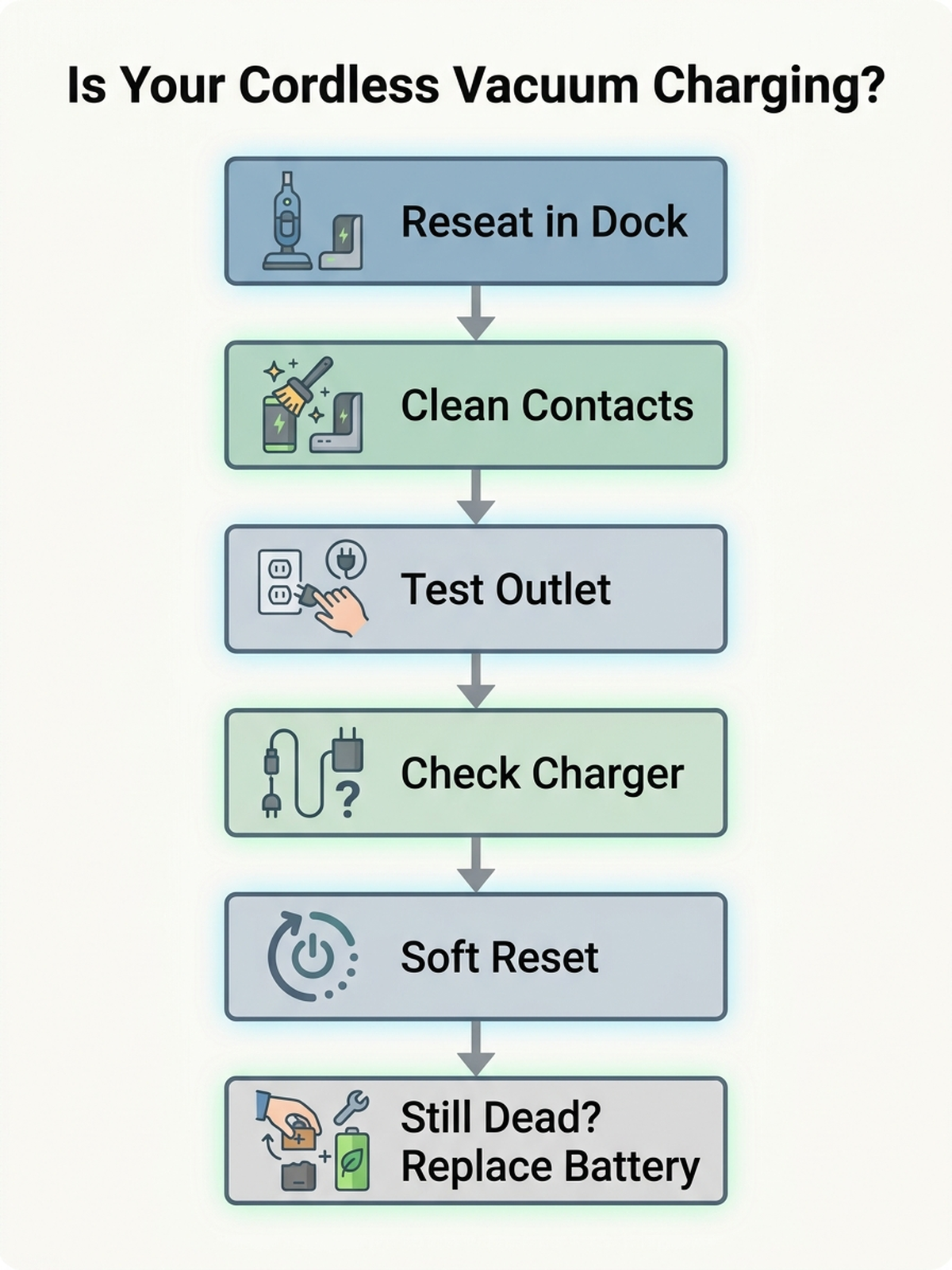
8. The bottom line
A cordless vacuum that won’t charge is almost always a fixable connection or contact problem — a half-seated dock, dirty pins, a dead outlet, or the wrong charger — rather than a failed battery. Reseating the vacuum, cleaning the contacts, and confirming the power source resolves the large majority of documented cases, and a soft reset clears most of what’s left. If the vacuum is several years old and charges but drains almost immediately, battery degradation is the realistic exception, and that’s the point where a replacement battery or a newer unit makes more sense than repeating the same connection checks.
Limitations of this analysis
To be explicit about what this article does not establish:
- We did not personally reproduce this issue on the specific machines named here. The causes and fixes described are drawn from manufacturer support documentation, independent repair-guide sourcing, and aggregated troubleshooting-thread patterns, not from a controlled charging test we ran ourselves.
- LED charge-light patterns vary by model and model year even within a single brand; the patterns described for Shark and Tineco reflect their current published support documentation as of October 2026 and may not match every older model.
- Battery cycle-life figures (400-500 cycles, 20% capacity drop after 500 cycles) are drawn from general cordless vacuum durability research, not from testing the specific battery packs named in this article, and actual degradation varies with heat, usage pattern, and charging habits.
- Market share figures are current industry estimates that vary across research firms and by region and measurement year; we cite them as directional context, not a precise figure.
- Warranty terms described for Dyson reflect its general published guarantee terms as of this writing and can vary by purchase date, region, and retailer — check your specific proof of purchase before assuming coverage.