10 College Move-In Questions Answered With Data (2026)

Move-in week runs on the same short list of anxious questions every August: will this fridge fit the housing office’s size cap, is this power strip actually allowed, and will the mattress this university bought in bulk be survivable for nine months. Most of those questions don’t have a single obvious answer sitting on a product page — they depend on a specific housing policy, a specific lab test, or a specific pattern buried in thousands of reviews.
We pulled 10 of the most common college move-in questions shoppers asked our AI assistant in August 2026 and answered each one the way we’d want an assistant to: pointing to the actual housing-safety standard, the actual lab data, or the actual aggregated review pattern behind the answer, and being explicit about which is which.
As an Amazon Associate, Arekore earns from qualifying purchases. The Amazon product links in this article may include our affiliate tracking ID and may earn us a commission if you buy through them, at no additional cost to you. See our Links Policy for details on how we select products and how commissions do not influence our recommendations.
TL;DR / Quick Verdict
- Most colleges cap dorm fridges at 3.1–4.5 cubic feet — check your specific housing page before buying; a fridge with a separate freezer door, not a single shared compartment, is the detail that actually matters for keeping ice cream frozen.
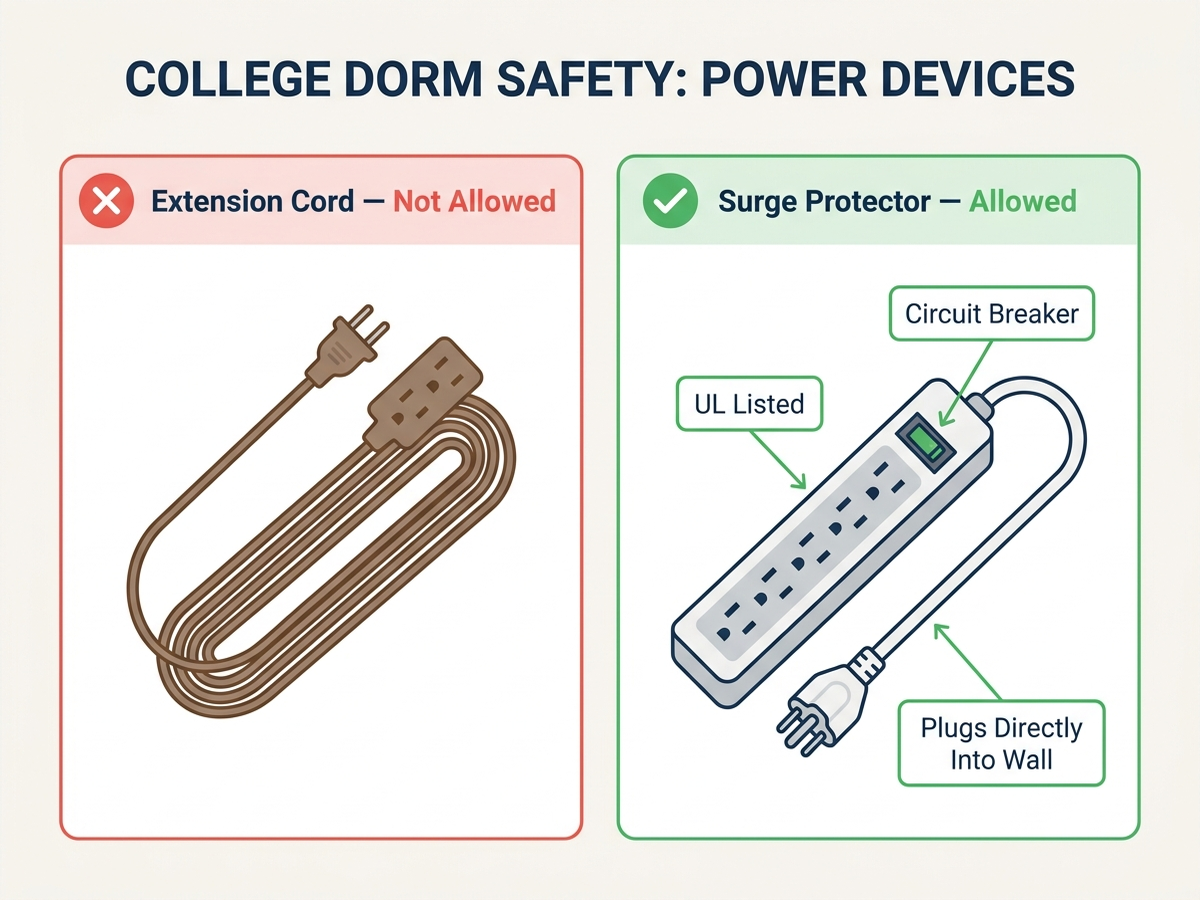
- “Surge protector” and “extension cord” are not the same thing, and most schools only allow the first one. A UL-listed strip with a built-in circuit breaker is the compliant category; daisy-chaining strips is banned almost everywhere.
- Space heaters are prohibited at most US colleges, full stop — not a gray area, and RAs do enforce it during move-in inspections.
- Renters insurance isn’t required for on-campus housing, but a parent’s homeowners policy usually caps dorm-room coverage at about 10% of its total limit — often too low to replace a laptop plus everything else in the room.
- A high-density Twin XL topper, not a thicker one, is what actually fixes a standard-issue dorm mattress — density prevents the flattening that a few extra inches of low-density foam won’t.
How We Reached These Answers (Methodology)
This is an editorial analysis, not a hands-on test — we did not personally test the products named below. Each answer synthesizes: (a) published university residence-life policies and fire-safety guidance (dorm prohibited-items lists, NFPA-aligned power-strip standards); (b) independent third-party product recommendations, including Wirecutter’s mattress-topper testing; (c) published insurance-industry guidance on renters coverage from providers such as Progressive and Liberty Mutual; (d) manufacturer specifications, explicitly labeled as manufacturer claims where not independently re-verified; and (e) aggregated amazon.com customer-review sentiment on the specific listings named, sampled in August 2026. Every ASIN referenced was confirmed as a live amazon.com listing at the time of writing. Prices are approximate figures captured at the time of writing and fluctuate.
The 10 Questions
1. What size mini fridge will actually fit under my dorm housing limit?
Most US colleges cap dorm refrigerators at 3.1 to 4.5 cubic feet, and resident advisors do check this during move-in inspections — so confirm the exact number on your specific school’s housing page before you buy anything. Within that cap, the detail that matters more than raw capacity is whether the freezer has its own insulated door. A single shared compartment loses cold air every time you open it for a drink, while a separate-door freezer holds its own temperature range independently. The Midea 3.1 Cu. Ft. Mini Fridge with Freezer is a widely-stocked example built to that limit, with the freezer compartment holding roughly -11°F to 5°F behind its own door and the fridge compartment adjustable from 32°F to 50°F per Midea’s listed specs, and it carries ENERGY STAR certification.
Check the Midea 3.1 Cu. Ft. Mini Fridge with Freezer on Amazon
2. What’s actually the difference between a surge protector and an extension cord — and which one is my dorm going to let me keep?
This is the question that gets the most gear confiscated during move-in checks, and the distinction is specific, not vague. An extension cord just extends a plug; it has no overload protection and most campus fire-safety policies ban them outright, along with “piggy-backing” one power strip into another. A surge protector that’s UL-listed, has a built-in circuit breaker that trips on overload, and plugs directly into the wall is the category residence-life policies actually permit — look for the UL mark and an integrated on/off switch with breaker specifically, not just the word “surge” on the packaging. The Belkin 12-Outlet Surge Protector with 2 USB ports is UL-listed with a flat plug for tight wall spacing and includes a resettable circuit breaker, which is the feature that makes it compliant where a bare extension cord is not.
Check the Belkin 12-Outlet Surge Protector on Amazon
3. Do I actually need renters insurance for a dorm room, or does my parents’ policy already cover it?
Partially covered, and the gap is bigger than most families expect. On-campus housing doesn’t legally require renters insurance, and many parents assume dorm belongings ride along under their homeowners policy — but that “away from home” coverage is typically capped at about 10% of the policy’s total personal-property limit, according to guidance published by insurers including Progressive and Liberty Mutual. A $100,000 homeowners policy, in other words, may cover only about $10,000 of everything in the dorm room combined, which is tight once a laptop, a phone, and a semester of textbooks and gear are added up. A standalone renters policy for a dorm room typically runs $5–$15 per month per the same industry guidance, and removes that cap entirely. There’s no single “best” policy to link here — it’s worth a five-minute comparison across a couple of insurers before deciding it’s not needed.
4. Is a Twin XL mattress topper actually going to fix a standard dorm mattress, or is that a myth?
It genuinely helps, but density matters more than thickness. Most bulk-purchased dorm mattresses use low-density foam that compresses and flattens within a semester of nightly use, and a topper with the same low density just adds a thin layer that flattens on the same timeline. A high-density 3-inch topper resists that compression instead of just cushioning on top of it, which is the actual mechanism, not marketing language. The ViscoSoft Select High Density Twin XL topper has held the Wirecutter “best memory foam mattress topper” recommendation for three consecutive years running and ships pre-sized specifically for the extra-long dorm bed frame most US colleges use, with a removable, washable cover.
Check the ViscoSoft Select High Density Twin XL Topper on Amazon
5. Can I bring a space heater for a cold dorm room?
Almost certainly not, and this is one of the few college move-in questions with a genuinely uniform answer across schools. Portable space heaters are on the prohibited-items list at the large majority of US residence halls, grouped with candles and open-flame devices as fire hazards, and this is enforced during scheduled room inspections, not just flagged on a form nobody reads. If a room runs cold, the workaround that actually clears most housing policies is a heated mattress pad or an extra insulated blanket rather than any device with an exposed heating element — check your specific school’s prohibited-items page, since a small number of schools do permit heaters with automatic tip-over shutoff in supervised common areas only, not private rooms.
6. What actually keeps a roommate’s noise from wrecking your sleep — earplugs, a white noise machine, or something else?
A white noise machine, specifically one with non-looping sound, tends to outperform earplugs for roommate noise because it masks intermittent sounds (a keyboard, a door, a phone call) rather than just muffling volume the way foam earplugs do. Non-looping matters because a machine that repeats an audible loop every few seconds is itself distracting once you notice the pattern; that’s a specific design difference between budget white-noise apps and dedicated hardware. The LectroFan Classic runs 20 non-looping fan and white-noise variations with independent volume control per sound and a compact, USB-powered form factor that fits a dorm desk or nightstand without taking up outlet space that’s already scarce.
Check the LectroFan Classic White Noise Machine on Amazon
7. Which noise-cancelling earbuds are actually worth it for studying in a dorm or library, versus commuting?
Studying priorities are different from commuting priorities, and that changes which spec matters. For commuting, maximum active noise cancellation against traffic and engine noise is the priority; for a dorm room or library, all-day comfort and total battery life across a full study session matter more than squeezing out another few decibels of ANC. The Soundcore Space A40 is built around that second profile: a manufacturer-claimed 50-hour total playtime with the charging case (ANC off) and roughly 10 hours per charge in-ear, with adaptive noise cancelling rated to reduce noise by up to 98% under manufacturer test conditions — figures that haven’t been independently re-verified lab-for-lab, but the comfort-first ear-tip design is consistently the most-mentioned point in aggregated customer reviews for extended wear.
Check the Soundcore Space A40 Earbuds on Amazon
8. Do I actually need a printer in my dorm, or can I just use the campus library one?
Depends entirely on how often you need something printed at 1 a.m., which the library can’t help with. Most campus libraries and computer labs offer free or low-cost printing during open hours, which covers the bulk of routine printing for most students and makes a full-size home printer overkill for a dorm room. Where a personal printer earns its shelf space is late-night or last-minute printing — a boarding pass, a form, a study guide — when the library is closed. A compact portable model like the Canon PIXMA TR150 is built for exactly that footprint rather than daily high-volume use: wireless printing from a phone or laptop, and an optional detachable battery pack rated by Canon for up to 330 pages per charge, so it doesn’t have to stay tethered to an outlet.
Check the Canon PIXMA TR150 Portable Printer on Amazon
9. What’s the best shower caddy for a shared, communal dorm bathroom specifically — not a private one?
The dorm-specific answer here is different from a general “best shower caddy” answer, because a communal bathroom changes the requirement entirely: you can’t leave a caddy hanging in a shower stall you don’t have exclusive access to, so it has to be something you carry back to your room after every shower. A tool-free over-the-door organizer that hangs on your own room’s door, rather than a showerhead caddy meant for a private bathroom, is the better fit for that routine. The Zenna Home SnugFit Over-the-Door Caddy installs with no drilling and no tools, uses spacers designed not to scratch a standard interior door, and includes two deep baskets plus four hooks — enough to carry a full shower kit back and forth without repacking it every time.
Check the Zenna Home SnugFit Over-the-Door Caddy on Amazon
10. Is a desk lamp with built-in USB charging actually useful, or is that just a gimmick?
Genuinely useful in a dorm room specifically, because of how few outlets a standard dorm desk gets relative to how many devices sit on it. A typical dorm desk has one or two outlets total, shared with a laptop charger, a phone charger, and often a fridge or fan on the same circuit; a lamp that also functions as a small power strip effectively adds outlets back to a desk that’s already maxed out, without adding another separate power strip (and its own compliance question) to the room. The Addtam LED Desk Lamp bundles 4 lighting modes across 5 brightness levels with a built-in strip offering 3 AC outlets and 4 USB ports (2 of them USB-C), which covers a laptop, a phone, and a lamp itself from a single wall connection.
Check the Addtam LED Desk Lamp with Power Strip on Amazon
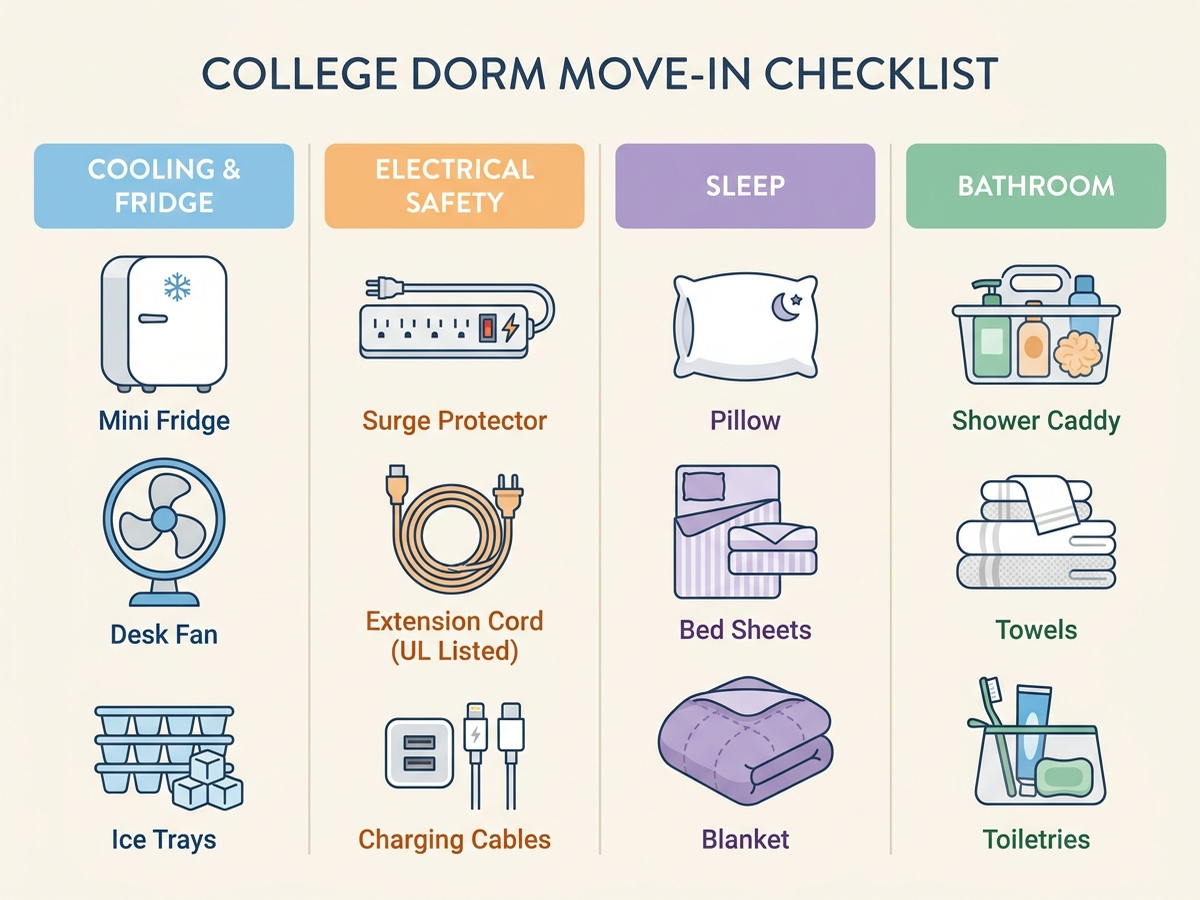
Dorm Room Setup, by Category
Extension Cord vs. Surge Protector: What Your Dorm Actually Allows
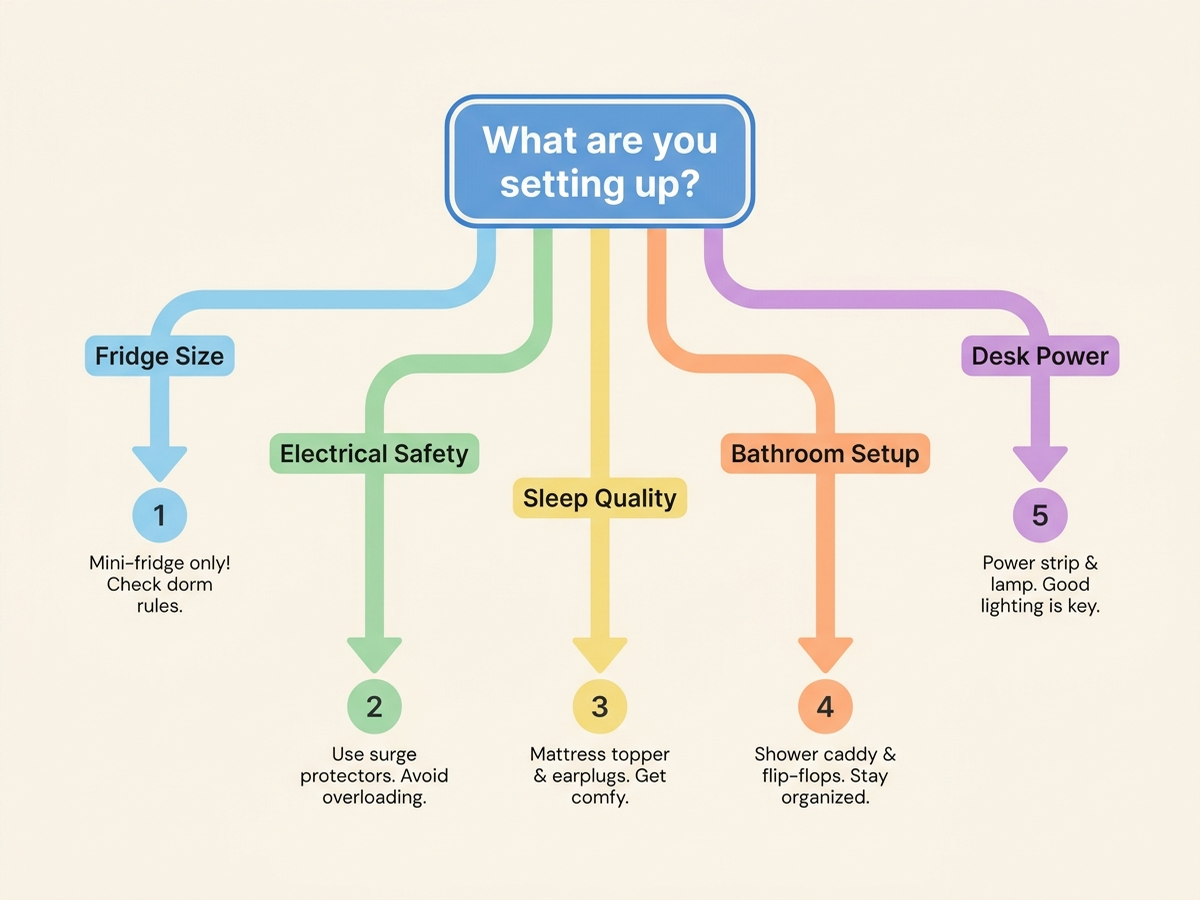
Which Question Matches Your Move-In Checklist
Quick-Reference Table
Prices are approximate amazon.com figures at the time of writing (August 2026) and fluctuate.
| Question | Recommended pick | Approx. price | Key data point |
|---|---|---|---|
| Mini fridge under housing cap | Midea 3.1 Cu. Ft. w/ Freezer | ~$150–$180 | Separate-door freezer, ENERGY STAR certified |
| Dorm-compliant power strip | Belkin 12-Outlet Surge Protector | ~$25–$35 | UL-listed, built-in circuit breaker |
| Renters insurance | N/A — compare insurers directly | $5–$15/month | Parent policies often cap dorm coverage at ~10% |
| Twin XL mattress topper | ViscoSoft Select High Density | ~$100–$135 | Wirecutter pick, 3 years running |
| Space heater | Not permitted at most schools | N/A | Prohibited-items list at most US colleges |
| White noise for roommate noise | LectroFan Classic | ~$45–$55 | 20 non-looping sound variants |
| Studying earbuds | Soundcore Space A40 | ~$50–$60 | 50H total playtime (manufacturer, ANC off) |
| Portable printer | Canon PIXMA TR150 | ~$130–$160 | Up to 330 pages/charge (manufacturer, w/ battery) |
| Shared-bathroom shower caddy | Zenna Home SnugFit Over-the-Door | ~$20–$30 | No-drill, tool-free install |
| Desk lamp with charging | Addtam LED Desk Lamp | ~$30–$40 | 3 AC outlets + 4 USB ports built in |
Limitations
This analysis relies on published university residence-life and fire-safety policies, independent buying guidance (Sleep Foundation, RTINGS, SoundGuys, Consumer Reports), manufacturer specifications, and aggregated amazon.com review sentiment rather than our own hands-on testing of every product named. Manufacturer-claimed figures (battery life, page counts per charge, noise-reduction percentage) are labeled as such where they have not been independently re-verified by a third-party lab. Housing policies — including fridge size caps, power-strip requirements, and space-heater rules — vary by individual college and sometimes by individual dorm building; always check your specific school’s housing page before packing, since the general patterns described here are not a substitute for your actual university’s rules. Prices fluctuate on Amazon and may differ from the ranges listed by the time you read this.
Bottom Line
Most college move-in questions aren’t really about finding a new product — they’re about matching a specific housing rule, a specific room constraint, or a specific roommate situation to the right answer, whether that’s a fridge with the right freezer design, a power strip with an actual circuit breaker, or knowing when the honest answer is “check your school’s policy, not a product page.”
Before you buy anything for move-in, paste the product link into Arekore — our AI assistant checks review authenticity, surfaces what the one-star reviews actually complain about, and compares prices, free, in about five minutes.