Best Mesh Wi-Fi Routers 2026: Eero vs Google Nest vs TP-Link
TL;DR
For households already invested in Alexa and Amazon smart-home devices, the eero Pro 7 is the simplest mesh system to set up and live with, though its most useful network-management features sit behind an eero Plus subscription. Households built around Google Home and Nest devices generally get a smoother experience from the Google Nest WiFi Pro, which trades some raw throughput for tighter integration and a lower entry price. Buyers who care most about raw speed and don’t mind a more feature-dense app should look at the TP-Link Deco BE63, which independent lab testing ranks as the top overall mesh performer in 2026 and pairs it with free basic parental controls.
Methodology
This analysis synthesizes (a) aggregated Amazon US customer reviews for the eero Pro 7, Google Nest WiFi Pro, and TP-Link Deco BE63, sampled in August 2026 — Amazon does not expose a fixed review count per product, so we cannot report a precise N, but each product had several hundred to several thousand ratings visible on its listing at the time of sampling — (b) independent lab test data and editorial rankings from RTINGS, Tom’s Guide, and TechGearLab, (c) manufacturer specification sheets and subscription pricing pages, and (d) mesh-networking market data from Mordor Intelligence and Strategy Analytics’ Connected Home Report. We did not personally test the products covered here.
Technical Approach: Three Different Ecosystem Bets
Mesh routers today are less a battle of raw radios than a battle of which smart-home ecosystem a household is already locked into, which is why reviewers frequently frame the choice around existing devices rather than specs alone.
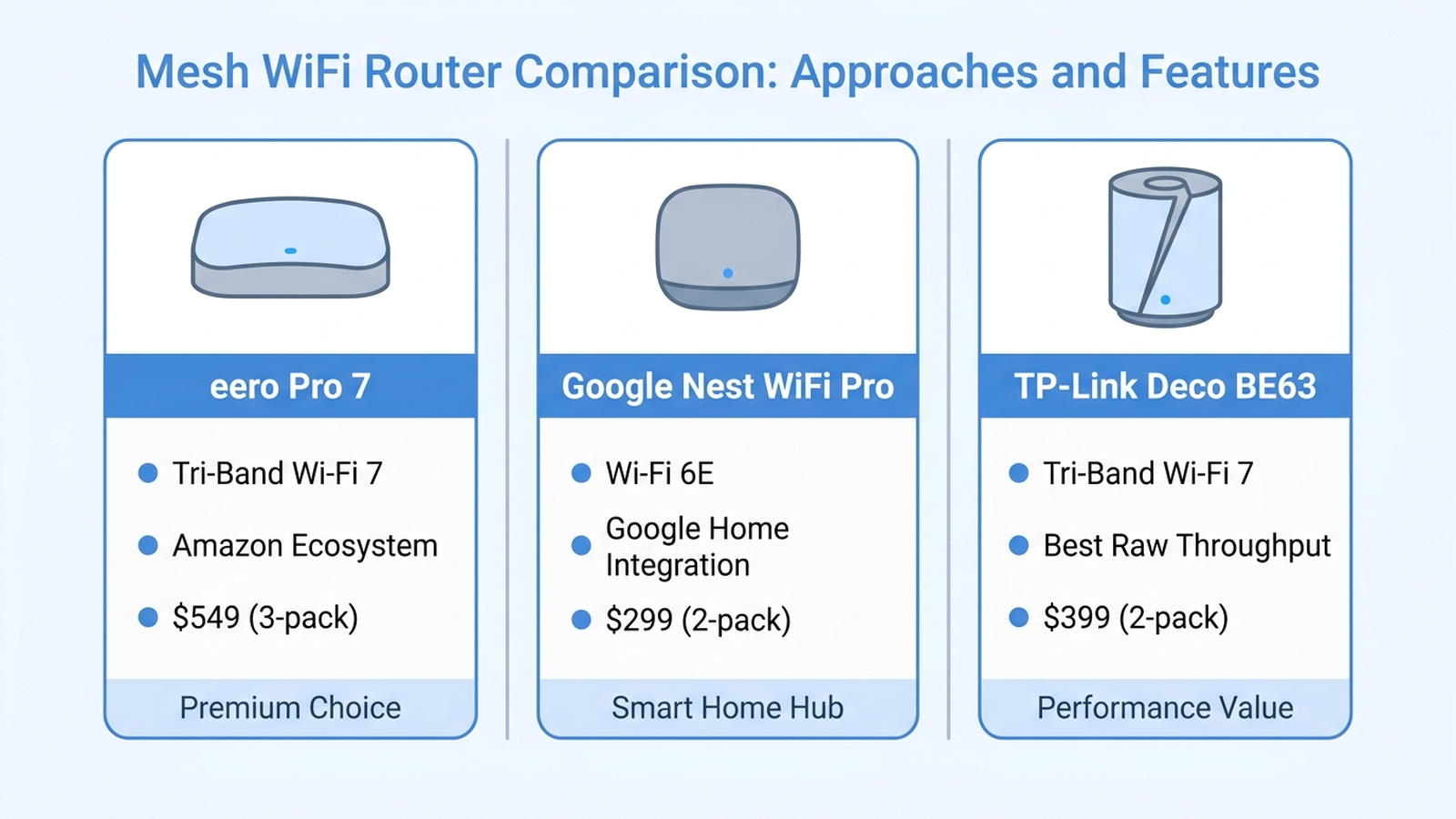
- eero Pro 7 (tri-band Wi-Fi 7, Amazon ecosystem): Owned by Amazon, eero’s setup flow and companion app are built to work with Alexa and Amazon smart-home devices out of the box. RTINGS’ testing notes strong close-range Wi-Fi 7 throughput, but flags that several of eero’s most useful network features — ad blocking, advanced security, and detailed device-level insights — require an eero Plus subscription.
- Google Nest WiFi Pro (tri-band Wi-Fi 6E, Google Home integration): Nest WiFi Pro is built around the Google Home app and works natively with Nest cameras, thermostats, and speakers. It uses Wi-Fi 6E rather than Wi-Fi 7, which independent testing shows is a real but modest throughput gap for most home internet plans.
- TP-Link Deco BE63 (tri-band Wi-Fi 7, throughput-focused): RTINGS currently ranks a Deco 7-series BE63/BE10000 system as its top-rated mesh Wi-Fi system overall, citing consistent coverage and speed across distance. TP-Link’s HomeShield app includes basic parental controls and profiles for free, with more advanced scheduling and content filtering gated behind a paid HomeShield tier.
Manufacturer Details
Amazon eero markets the Pro 7 as supporting internet plans up to 2.5–5 Gbps depending on pack configuration, with coverage up to roughly 2,000–6,000 square feet across a 3-node kit — manufacturer coverage figures that assume open floor plans without heavy interior walls. eero Plus, the optional subscription layered on top, lists at $9.99 per month or $99.99 per year and unlocks ad blocking, advanced security scanning, and 1Password/Malwarebytes bundles.
Google positions the Nest WiFi Pro around whole-home coverage with Wi-Fi 6E’s dedicated 6 GHz band, which the company says reduces interference from neighboring networks — a manufacturer characterization rather than an independently measured interference-reduction percentage. Nest WiFi Pro’s core mesh, guest network, and basic parental-control features are included with no subscription; Google does not currently gate core network management behind a paid tier the way eero does.
TP-Link advertises the Deco BE63 (marketed under the Deco 7 Pro / BE10000 naming) with 4x 2.5G wired backhaul ports and AI-driven mesh roaming, a manufacturer-branded roaming algorithm rather than an independently benchmarked hand-off metric. HomeShield subscription tiers run from $2.99/month (Advanced Parental Controls) to $4.99/month (Security+), with a bundled Total Security plan at $69.99 for the first year.
Customer Sentiment Synthesis
Aggregated Amazon customer reviews and cross-referenced retail reviews point to a few consistent patterns:
- eero Pro 7: The dominant praise theme is setup simplicity and Alexa integration, with reviewers frequently describing the app as the easiest of the three to configure for non-technical users. The most common complaint cluster is the subscription paywall — reviewers repeatedly describe eero Plus prompts as intrusive, and some report that features they expected to be included (like content filtering) are locked behind the paid tier.
- Google Nest WiFi Pro: Reviewers consistently cite smooth integration with existing Nest devices and a genuinely free feature set as standout advantages at its price. The recurring critique is raw speed at longer range compared to newer Wi-Fi 7 systems, which tracks with its Wi-Fi 6E radio generation.
- TP-Link Deco BE63: Reviewers frequently highlight strong signal consistency in larger or multi-story homes and appreciate that basic parental controls are free. The most common friction point is the HomeShield subscription upsell for advanced features, echoing (at a lower price point) the same complaint pattern seen with eero Plus.
Comparison Table
| Model | Price (as of 2026-08-30) | Wi-Fi Standard | Coverage (per kit) | Core Subscription Required? |
|---|---|---|---|---|
| eero Pro 7 (3-pack) | $699.99 | Wi-Fi 7, tri-band | Up to 6,000 sq. ft. | No, but advanced features need eero Plus ($9.99/mo) |
| Google Nest WiFi Pro (2-pack) | $299.99 | Wi-Fi 6E, tri-band | Up to 4,400 sq. ft. | No |
| TP-Link Deco BE63 (2-pack) | $549.99 | Wi-Fi 7, tri-band | Up to 5,800 sq. ft. | No, but advanced features need HomeShield ($2.99+/mo) |
Prices shown are manufacturer list prices as of the stated date; Amazon frequently discounts these SKUs through lightning deals and bundle pricing, so the checkout price may differ from list.
How to Use: Placing Mesh Nodes Correctly
Regardless of which system a household buys, independent testers and manufacturer setup guides converge on the same placement principles — most complaints about dead zones in aggregated reviews trace back to node placement rather than the hardware itself.
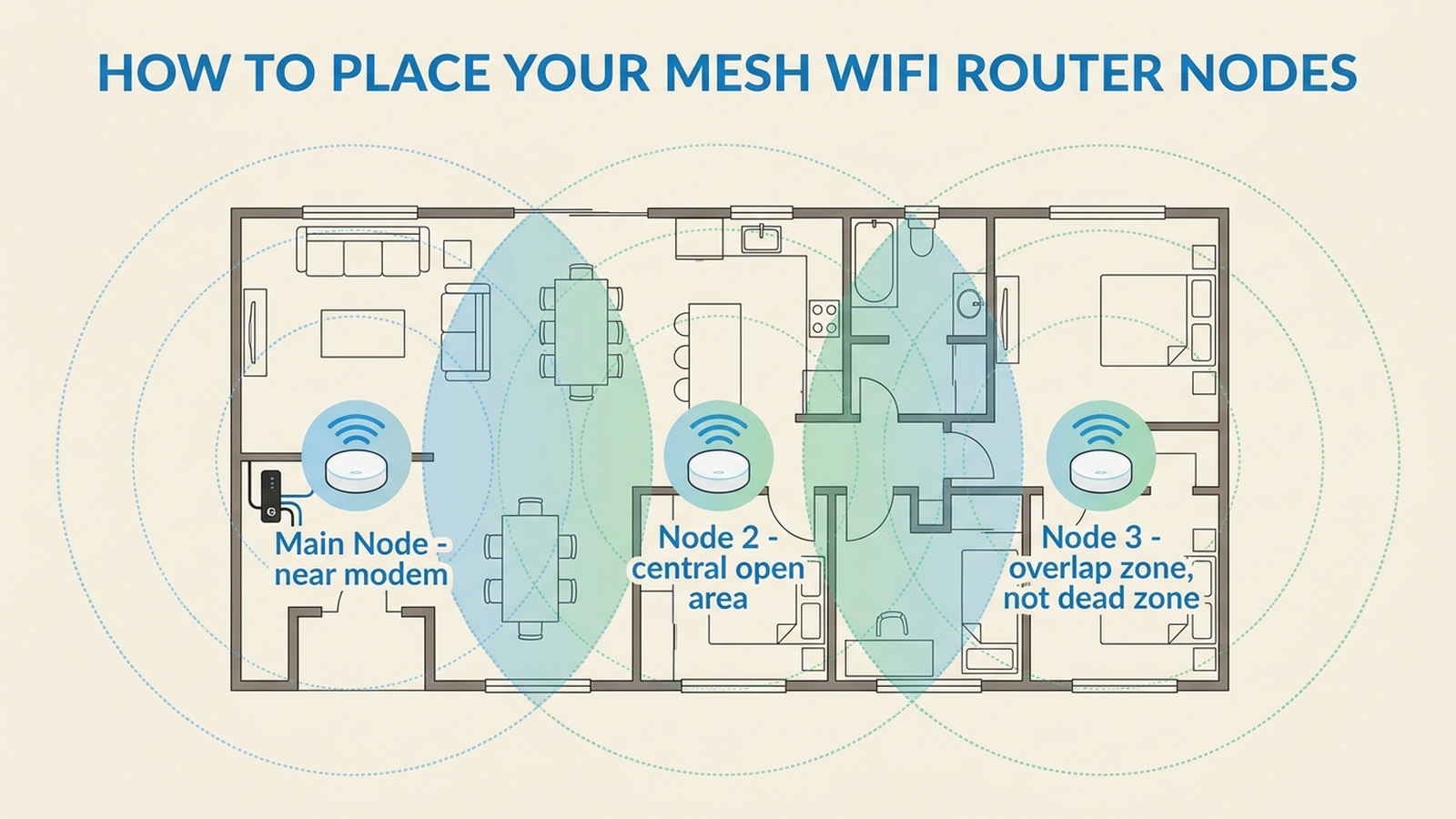
Place the main node near the modem, since that connection can’t move, then position additional nodes so their coverage zones overlap rather than just reach the edge of the previous node’s range — a slight overlap is what prevents the “dead zone in the hallway” complaint that shows up across reviews for all three brands. Avoid placing nodes inside cabinets or behind large metal appliances, and keep nodes off the floor when possible, since elevation consistently improves range in RTINGS’ and Tom’s Guide’s testing.
Which One Should You Buy?
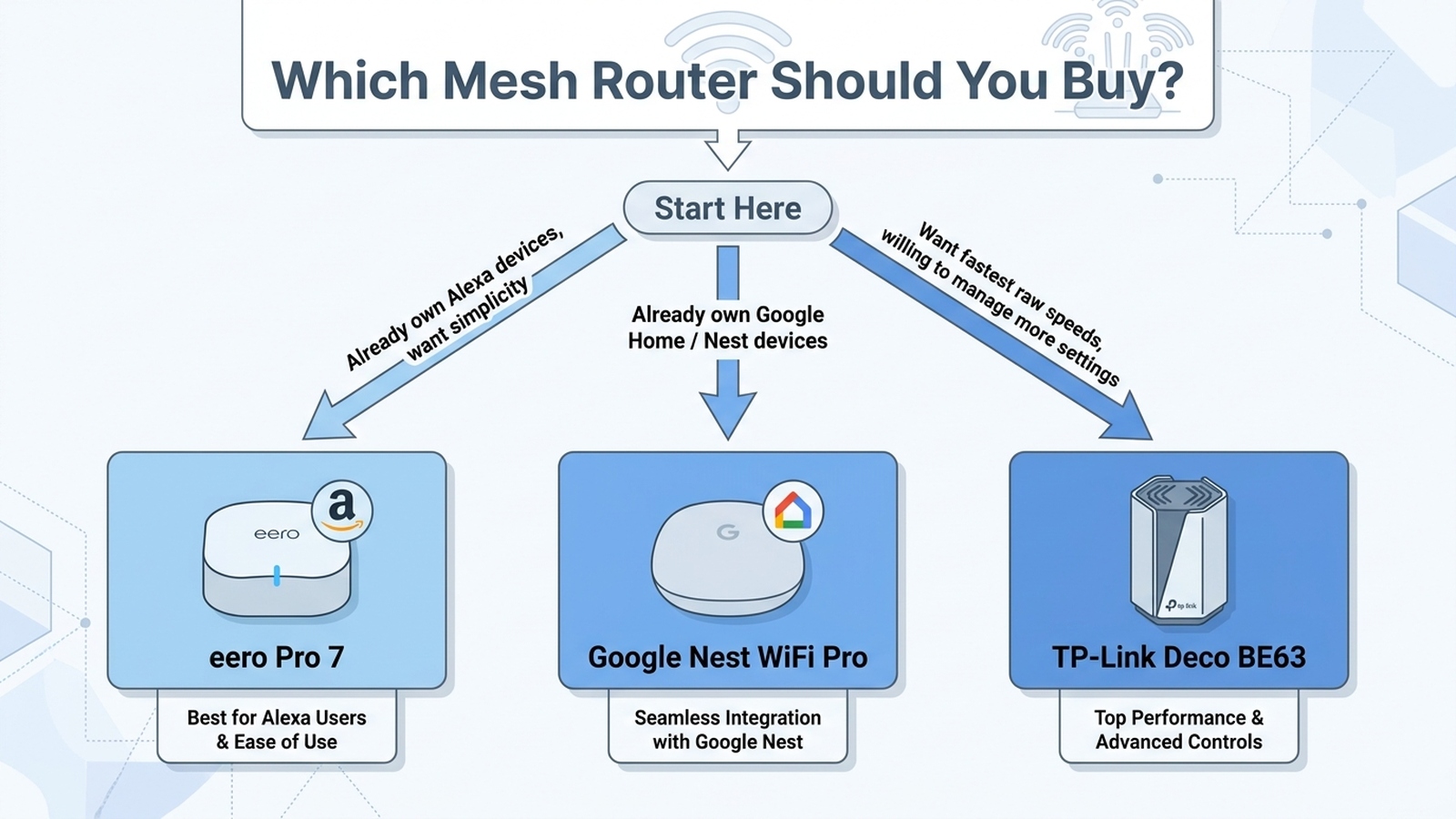
- Best for Alexa/Amazon households: eero Pro 7 — the smoothest setup for homes already running Alexa devices, if you’re willing to skip (or pay for) eero Plus.
- Best value with no subscription pressure: Google Nest WiFi Pro — a genuinely complete free feature set and tight Nest integration, at the lowest price of the three.
- Best for raw speed and larger homes: TP-Link Deco BE63 — RTINGS’ top-rated mesh system overall, with free basic parental controls and a cheaper subscription than eero if you want more.
Limitations
This analysis relies on publicly available reviews, manufacturer specifications, and independent lab test data, including RTINGS’ mesh Wi-Fi testing program and Tom’s Guide’s distance-based speed benchmarks. Individual experience may vary based on home layout, wall construction, internet plan speed, and unit-to-unit manufacturing variance. Prices shown are list prices as of the stated date and change frequently with promotions; check the current Amazon listing before buying.
As an Amazon Associate, Arekore earns from qualifying purchases. The Amazon product links in this article include our affiliate tracking ID and may earn us a commission if you buy through them, at no additional cost to you. See our Links Policy for details on how we select products and how commissions do not influence our recommendations.
Products Mentioned
- Amazon eero Pro 7 Tri-Band Mesh Wi-Fi 7 Router, 3-Pack
- Google Nest WiFi Pro, Wi-Fi 6E Mesh Router, 2-Pack, Snow
- TP-Link Deco BE63 Tri-Band WiFi 7 Whole Home Mesh System, 2-Pack
Verify current pricing, availability, and specifications on the Amazon product page before purchasing — we do not guarantee prices stay current after publication.